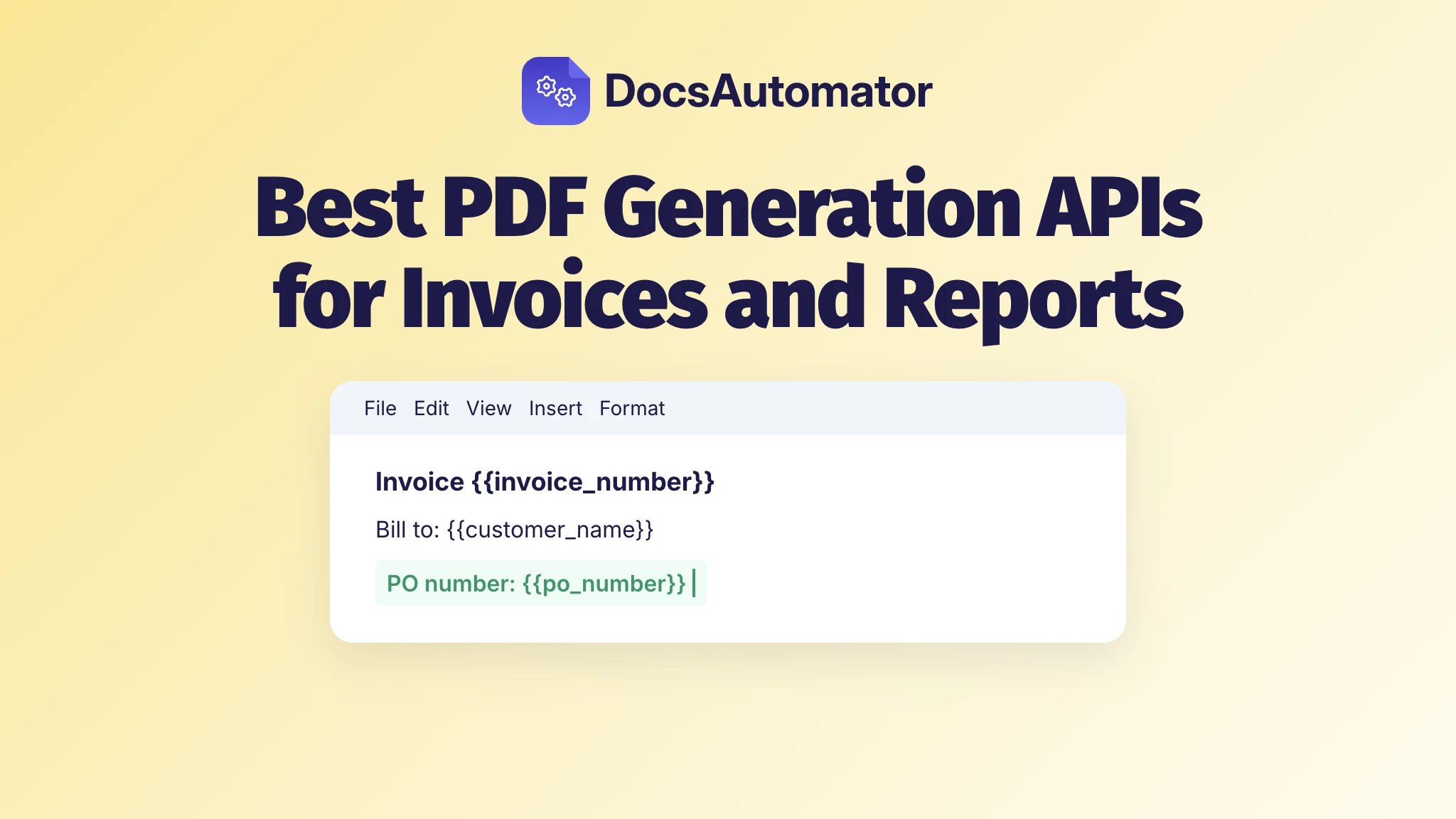
It's month end, and finance wants the PO number on every invoice before the next batch goes out. The number's already in your billing data. But if your invoice template is HTML, that one line waits for a developer. So for a SaaS company's invoices and reports, pick the PDF generation API by who will change the template, not by the price per PDF. When finance or ops own the wording, that's DocsAutomator: the template is a Google Doc or Word file, and they edit it themselves.
Best PDF generation APIs for invoices and reports, by who edits the template
Every API on this list takes data from your app and returns a PDF. What sets them apart is the template, and there are three kinds:
- Google Docs or Word templates: DocsAutomator, Carbone and Adobe Document Generation API. Whoever writes the invoice wording edits the file in the editor they already use.
- A drag-and-drop designer: CraftMyPDF, APITemplate.io and PDF Generator API. Someone places boxes and fields in the vendor's web editor.
- HTML and CSS: DocRaptor, PDFMonkey, PDFShift, Nutrient and Gotenberg. A developer writes the template, so every layout change goes through your code and your deploys.
This list is for a SaaS company making its own invoices and reports. If your customers will design their own invoices inside your product, you're choosing an embeddable editor, and that's a different list.
PDF generation API pricing for 1,000 invoices a month
| API | Template made in | Cheapest plan for 1,000 PDFs a month | Included | Counts as one | Free |
|---|---|---|---|---|---|
| DocsAutomator | Google Docs or Word | Business, $79 a month ($59 billed yearly) | 1,000 documents | One document | Unlimited test documents, watermarked |
| Carbone | Word, Excel or LibreOffice | Essential, €29 a month (€26 billed yearly) | 1,000 documents | Up to 1 MB of data | 100 a month |
| Adobe Document Generation API | Word | No published price | Sold by volume | A document transaction | 500 a month |
| CraftMyPDF | Drag-and-drop editor | Lite, $29 a month | 1,200 PDFs | One PDF, any length | 50 a month |
| APITemplate.io | Visual editor or HTML | PDF Basic, $24 a month ($19 billed yearly) | 3,000 PDFs | One PDF | 50 a month |
| PDF Generator API | Template editor or HTML | Starter, €52 a month (€520 billed yearly) | 1,000 credits a month | Up to 5 pages | 14-day trial |
| DocRaptor | HTML | Premium, $75 a month | 1,250 documents | One document, any size | 5 a month |
| PDFMonkey | HTML | Pro, €15 a month | 3,000 documents | One document | 20 a month |
| PDFShift | HTML | Boost, $24 a month | 2,500 credits | 5 MB of output | 50 a month |
| Nutrient | HTML or Office files | Starter, $75 a month | $90 of usage | $37.50 per 1,000 HTML conversions | $5 of usage a month |
| Gotenberg | HTML or Office files | Free, on your own servers | No limit | Nothing is metered | Open source |
Prices as of November 19, 2026, billed monthly unless the cell says otherwise, excluding VAT.
PDF generation APIs with Google Docs or Word templates
1. DocsAutomator: best when finance owns the invoice wording
DocsAutomator (that's us) fills your Google Doc or Word file from one call, POST /createDocument, with your automation's ID and the data. Finance edits that file like any other document, and your code only sends the data. The template holds {{placeholders}} where values go and line items for repeating rows, nested up to 3 levels, so one invoice can list each project with its own charges under it. You get the PDF back by webhook, or call in async mode and check the job ID. Each API key can make 2,000 requests per 15 minutes, and a workspace runs 5 jobs at a time with no limit on how many wait in the queue. A monthly report for each customer is the same call with a different template, and AI agents can make the same documents through our MCP server.
Every plan has unlimited team members, so finance, ops and your developers each get their own login. Business covers 1,000 documents a month and up to 20 automations. Scale has 5,000 documents and unlimited automations for $199 a month ($149 billed yearly). Test documents are free and unlimited, watermarked, with no credit card. See how the PDF generation API works.
2. Carbone
Carbone also fills Office templates, built in Word, Excel, PowerPoint or LibreOffice, so it suits a team whose report templates already live in Office files. It counts one document per 1 MB of data and images you send, so a report with large images can count as two. There's a free Community Edition you can host yourself. Watch the jump between plans: after Essential's 1,000 documents, the next plan is Advanced at €159 a month for 20,000. DocsAutomator vs. Carbone
3. Adobe Document Generation API
Adobe's API makes PDF and Word documents from Word templates and JSON. You tag the template with Adobe's Word add-in or type the tags in by hand. It fits a company that already buys Adobe software, because past the free 500 document transactions a month, you buy volume through Adobe's Value Incentive Plan or an enterprise agreement, and there's no price to check before you talk to sales. DocsAutomator vs. Adobe
PDF generation APIs with a drag-and-drop template designer
4. CraftMyPDF
CraftMyPDF's editor needs no HTML or CSS: you drag the layout into place and add expressions for your data. It's a good fit when a designer or ops person owns the layout but nobody wants to touch code. The free plan allows 3 templates, and past Lite's 1,200 PDFs the next steps are Plus at $49 a month for 3,000 and Professional at $99 for 12,000. DocsAutomator vs. CraftMyPDF
5. APITemplate.io
APITemplate.io lets you build templates in a visual editor or in HTML, which helps when a designer starts the template and a developer finishes it. Its free plan allows 3 templates; PDF Basic raises that to 20 and adds async delivery with webhooks.
6. PDF Generator API
PDF Generator API has its own template editor and an HTML-to-PDF endpoint, and from the Basic plan up you can embed its editor in your own app. That makes it the one to look at if your customers will design their own invoices. A credit covers up to 5 pages, so a 7-page report uses two. DocsAutomator vs. PDF Generator API
HTML to PDF API comparison
7. DocRaptor
DocRaptor converts HTML to PDF, with headers, footers and page numbers set in CSS, so it's for a developer who wants print layout control in code. Every document costs the same however long it is, which helps with long reports. Test documents are unlimited, with a watermark, but the free plan makes only 5 real documents a month.
8. PDFMonkey
PDFMonkey templates are HTML and CSS, with a visual builder alongside, and it's priced for developers who want a hosted service cheaply. Extra volume comes in packs of 1,000 documents for €5. The free plan can't load external images, fonts, CSS or JavaScript, so try a real invoice on the 30-day trial instead. DocsAutomator vs. PDFMonkey
9. PDFShift
PDFShift converts HTML to PDF and counts one credit per 5 MB of output, so a 14 MB file uses three. It's a straight converter: you build and host the HTML, and PDFShift prints it. Paying yearly gets you two months free.
10. Nutrient
Nutrient fits a team that also needs data extraction from incoming documents, because one plan pays for both. It takes each request out of a monthly usage balance. Office files cost $150 per 1,000 conversions, four times the HTML rate.
11. Gotenberg
Gotenberg is open source under the MIT license and runs in Docker on your own servers. It prints HTML or Markdown with Chromium and converts Word and other Office files with LibreOffice. There's no price per document: you pay for the servers and the time to run them. Beyond printing, it can merge, split, stamp, encrypt and sign PDFs.
After the PDF: e-invoices, email and filing
An invoice isn't finished when the PDF exists. If you bill German businesses, DocsAutomator makes ZUGFeRD or XRechnung e-invoices from the same data and your own template, and checks each one against the official rules before it goes out, on every paid plan. Gotenberg can turn an invoice into a Factur-X or ZUGFeRD PDF/A-3 file, but you build the invoice's XML yourself and send it along.
DocsAutomator also emails the finished PDF and saves it to Google Drive, OneDrive or Dropbox. And if the same API makes your quotes and contracts, one call can send them for e-signature or one-click acceptance, included in every plan.
Which PDF generation API should you choose?
If finance or ops will change the invoice, pick DocsAutomator: they keep editing a Google Doc or Word file, and your developers look after one call that sends the data. If a designer owns the layout and nobody wants to write code, look at CraftMyPDF or APITemplate.io. If a developer will own the layout in code, the HTML APIs are built for that: DocRaptor or PDFMonkey as a hosted service, or Gotenberg on your own servers.