Signing & Acceptance
Send it, get a yes.
Quotes, offers, policy sign-offs and HR packs go out from your data and come back accepted with one click. Contracts go out the same way and come back signed. Every yes is logged, with a certificate on the PDF.









Key Benefits
What it is
One closing choice
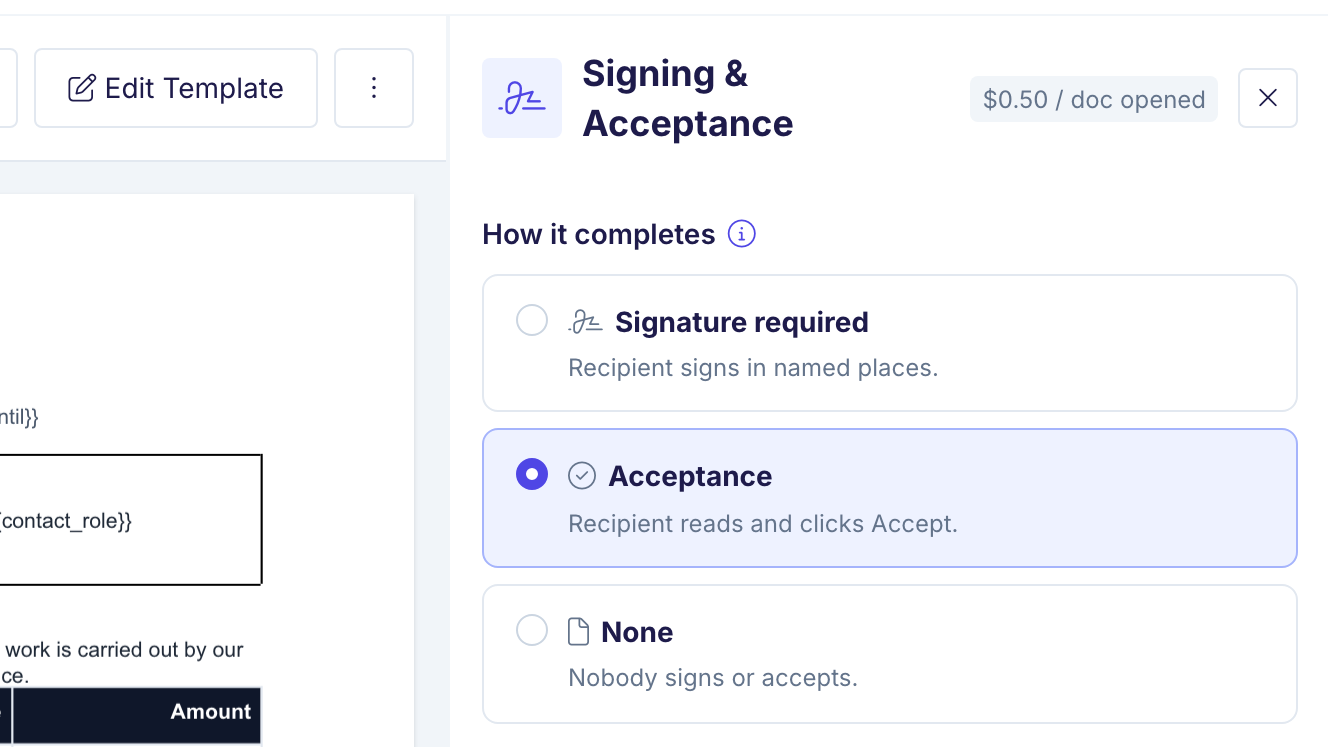
Every automation in DocsAutomator has one closing choice: signature, acceptance, or none. Together they are Signing & Acceptance. Some documents need a signature. Most quotes, offers and sign-offs do not. They need a clear yes from the right person, on record.
One click, nothing to draw
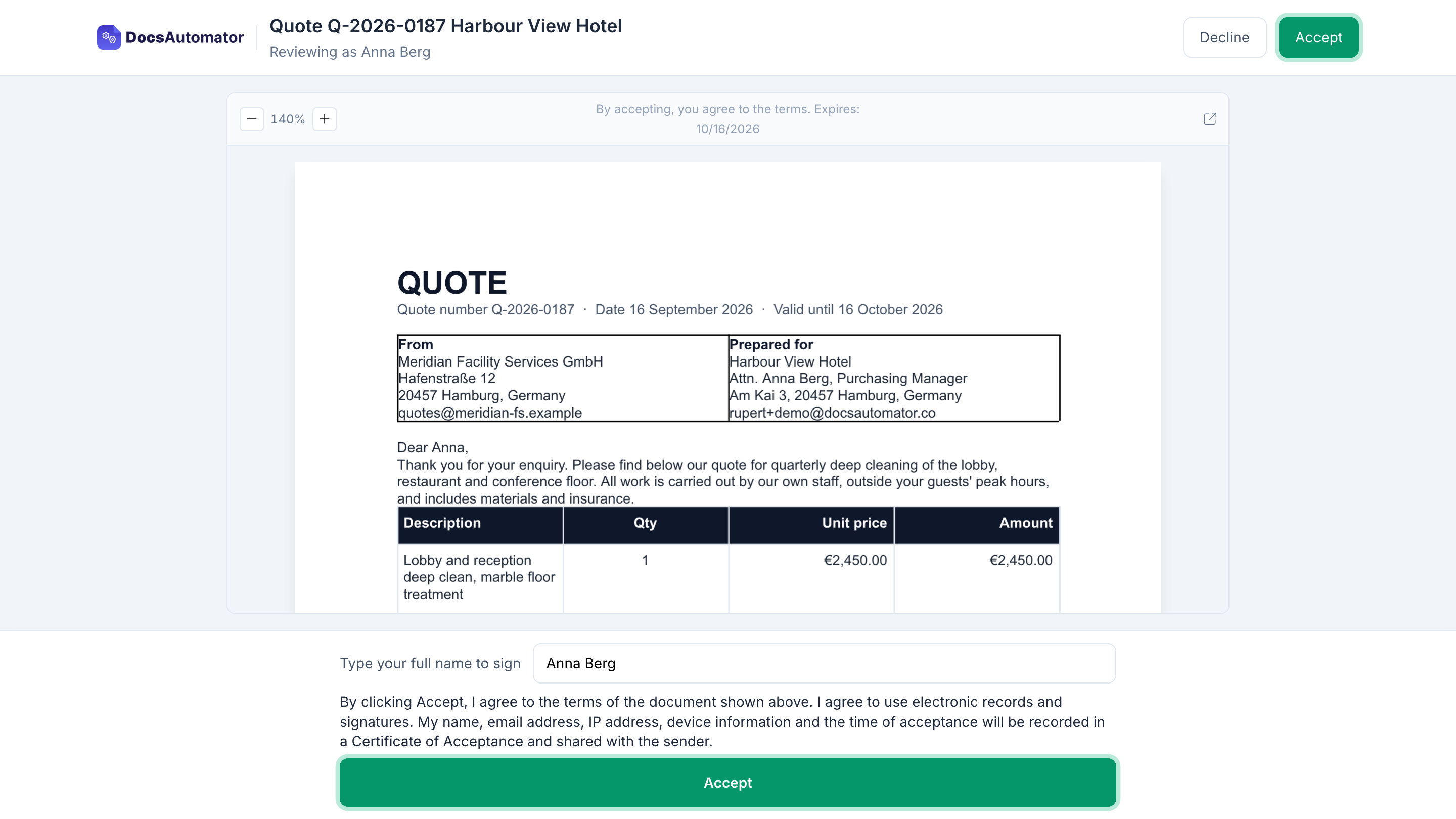
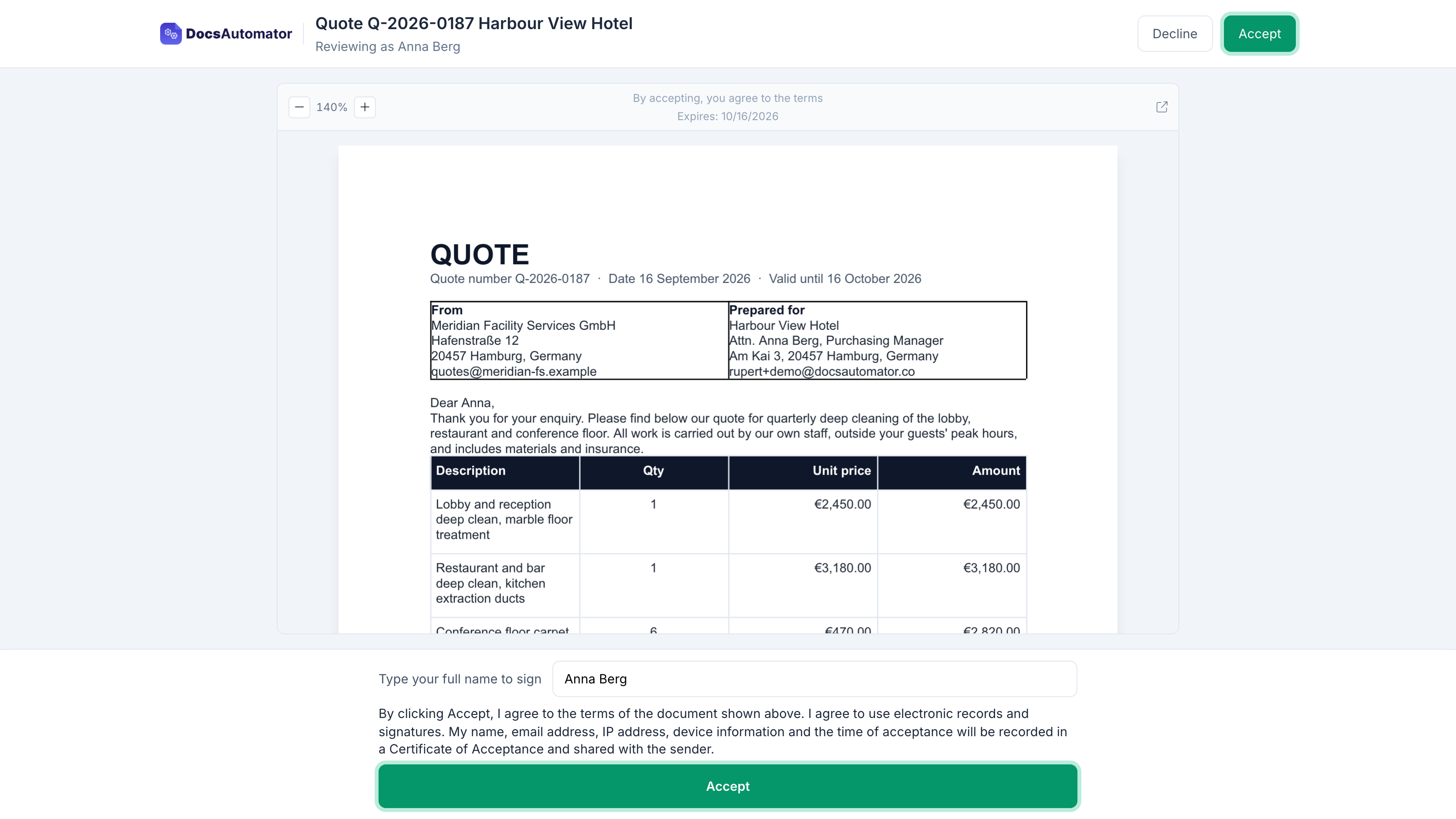
With acceptance, DocsAutomator generates the document from your data, as it does today, and emails it to the recipient. The recipient opens it on a phone or a laptop, reads it and clicks Accept. There are no signature fields and nothing to draw.
A typed name, or a no with a reason
If you want more certainty, you can ask the recipient to type their name before they accept. If the answer is no, the recipient can decline and give a reason.
A Certificate of Acceptance on the PDF
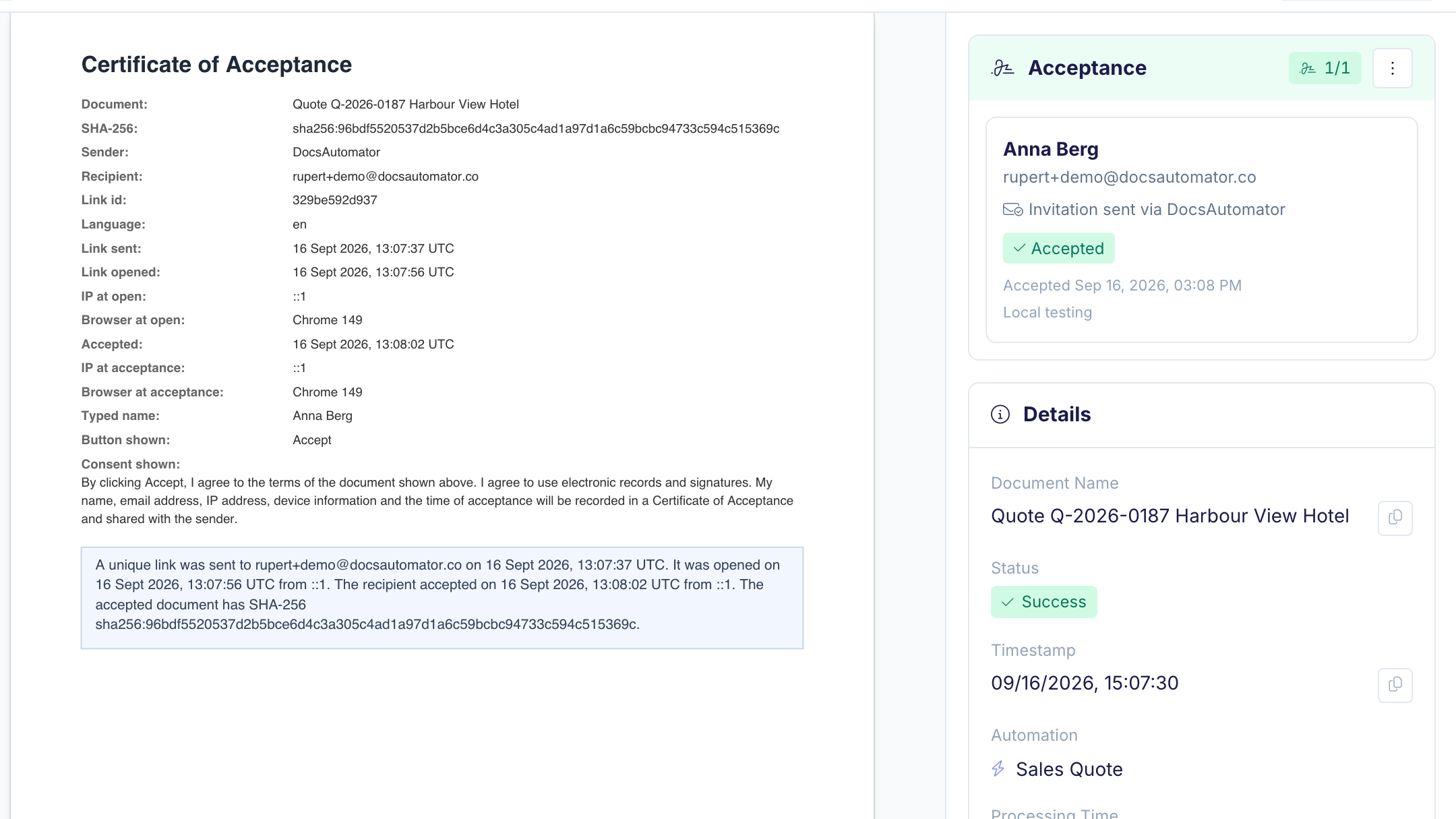
You and the recipient both get the accepted PDF with a Certificate of Acceptance on the last page. The certificate records the time, the email address, the IP address, the device, the typed name and a fingerprint of the exact document they saw. The PDF is sealed with a digital certificate and an independent timestamp, so it is tamper-evident: a PDF reader shows if the file changed after it was sealed. The accepted PDF is saved where your signed documents go today, for example your Google Drive folder or the record in your data source.
Sign or accept?
If the other side expects to sign, use Signing. If you only need their yes, use Acceptance.
Who it is for
Send quotes and contracts from AirtableQuotes and offers
A customer does not sign a quote. They read the price and say yes. Send the quote from your Airtable, Google Sheets or other data source, and the customer accepts it from the email in a few seconds. You see the yes in DocsAutomator and in your record, with the time and the name.
SOPs and policy sign-offs
When a procedure or a policy changes, each person who must follow it opens it and clicks Accept. You keep one sealed PDF per person, with the date they accepted. When an auditor asks who confirmed version 4 of the procedure, the answer is a folder, not a spreadsheet of emails.
HR packs
Handbooks, safety briefings, equipment policies and onboarding documents need an acknowledgment, not a contract signature. Send one document per new starter from your HR table, ask them to type their name, and file the certificate with their record. The employment contract itself still goes out for signing.
Start automating & signing in minutes!
How it works
Get started in minutes
Choose Acceptance under How it completes
The recipient reads and clicks Accept
The sealed PDF comes back with its certificate
Learn more in our Knowledge Base
Start automating & signing in minutes!
How billing works
Signing & Acceptance is available on every paid plan. Plan prices and document prices do not change. While you set up an automation, you can preview the full flow for free.
$0.50 per document, charged when it is opened
Signing and acceptance cost $0.50 per document, charged when the recipient first opens it. That is one flat charge, however many people the document goes to. A request that nobody opens costs nothing.
$0.35 above 500 a month
Above 500 documents in a billing month, each document costs $0.35. The same rule applies to signing and acceptance, and to every workspace.
Already signing? Three small things change
Your signing flow stays as it is. Three small things change: you are charged when the recipient first opens a document instead of when it is sent, new automations send reminders by default, and you get an email two days before a request expires.
Start automating & signing in minutes!
Frequently Asked Questions
Start automating & signing in minutes!
Explore more features
Everything you need for document automation
AI Template Generator
Describe a document and let AI create a professionally designed Word (.docx) template for you.
Google Docs Templates
Build templates in Google Docs, one of the most intuitive document tools on the web.
Word Templates
Upload a Microsoft Word .docx template and generate Word or PDF documents from your data.
E-Signatures
Collect legally binding e-signatures on your generated documents.
Email Automation
Generate documents and email them as PDF attachments automatically.
Dynamic Line Items
Handle invoices, reports, and itemized lists with dynamic line items including nested data.
Conditional Logic
Show, hide, or style content conditionally based on your data.
AI Field Mapping
Map or generate sample data in seconds with the help of AI.
PDF Generation & Delivery
Generate PDFs, save to Google Drive or OneDrive, send via email, or trigger webhooks.
Batch Processing
Generate dozens of documents in parallel with queue-based batch processing.
REST API
Generate documents programmatically with sync/async modes and webhooks.
AI & Agents
Give AI assistants the power to generate documents via MCP server.
Teams closing documents with DocsAutomator:







Send it, get a yes.
Quotes, offers and sign-offs from your data, back with a certificate on the PDF.
Unlimited testing, no credit card required