Approvals
Approve before it goes out
A team member says yes before a document leaves DocsAutomator. It works for any document you create, not only for signing. Until the approval, nothing goes out: no email, no file on the record, no webhook and no signing request.









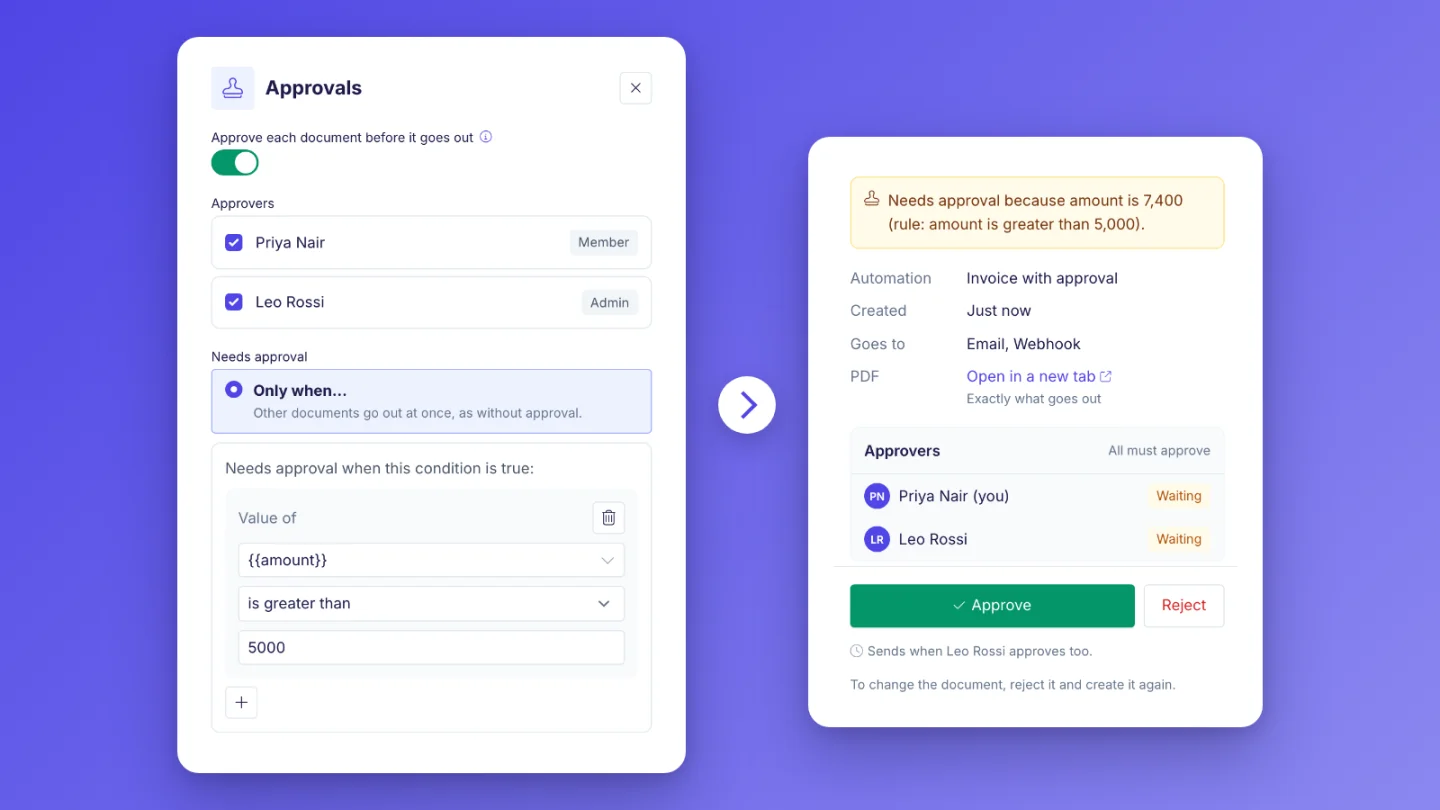
Key Benefits
What it is
Any document
Invoices, quotes, contracts and reports can all wait for an approval. It works for documents from Airtable or any other data source, from the API and from your AI agent, with or without signing.
Always, or only when a rule is true
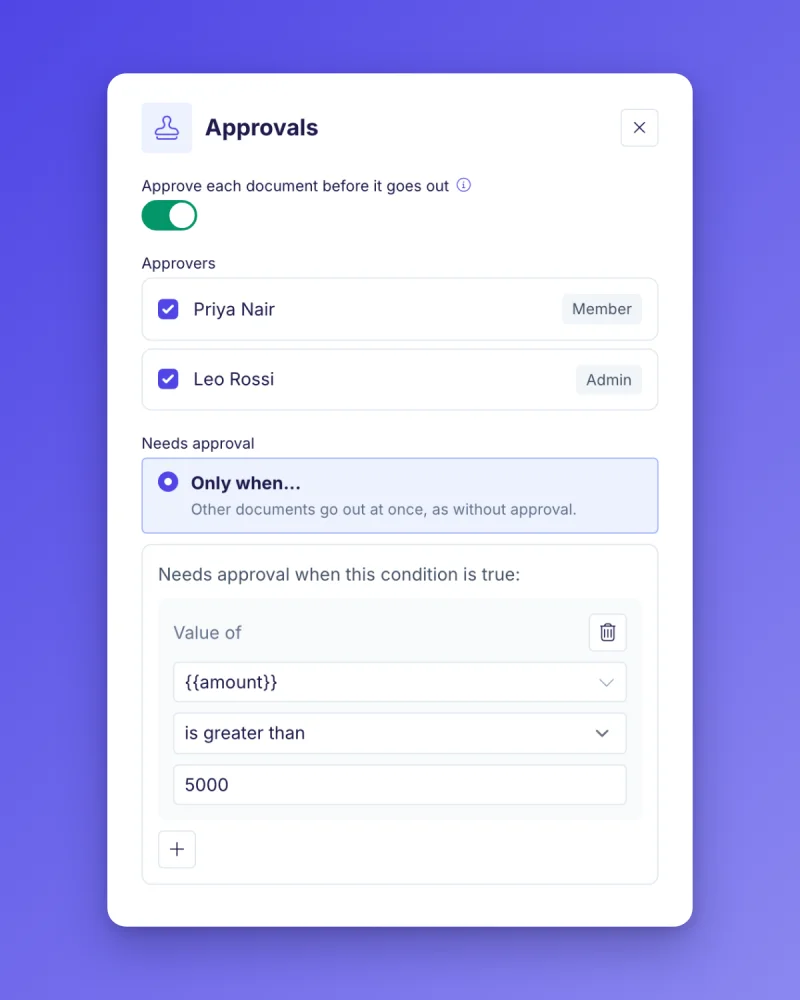
Choose Always, or Only when... with a rule, for example "only when the amount is greater than 5,000". Documents that do not meet the rule go out at once, as without approval.
Approvers you pick
Pick the team members who approve. With more than one approver, choose whether all of them must approve or whether any one approver is enough.
Nothing leaves before the yes
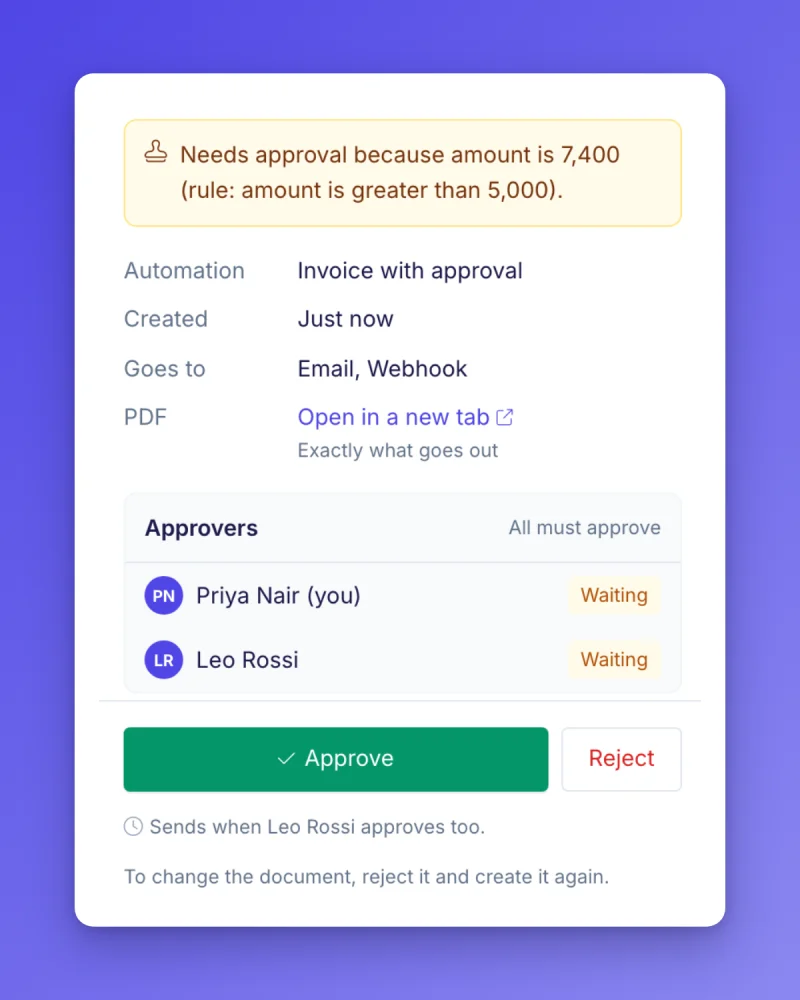
The document is made and stored, and shows as Waiting for approval. It goes out once, after the last approval, exactly as it would have without approval.
How it works
Get started in minutes
Turn on Approvals for an automation
Approvers review the exact PDF
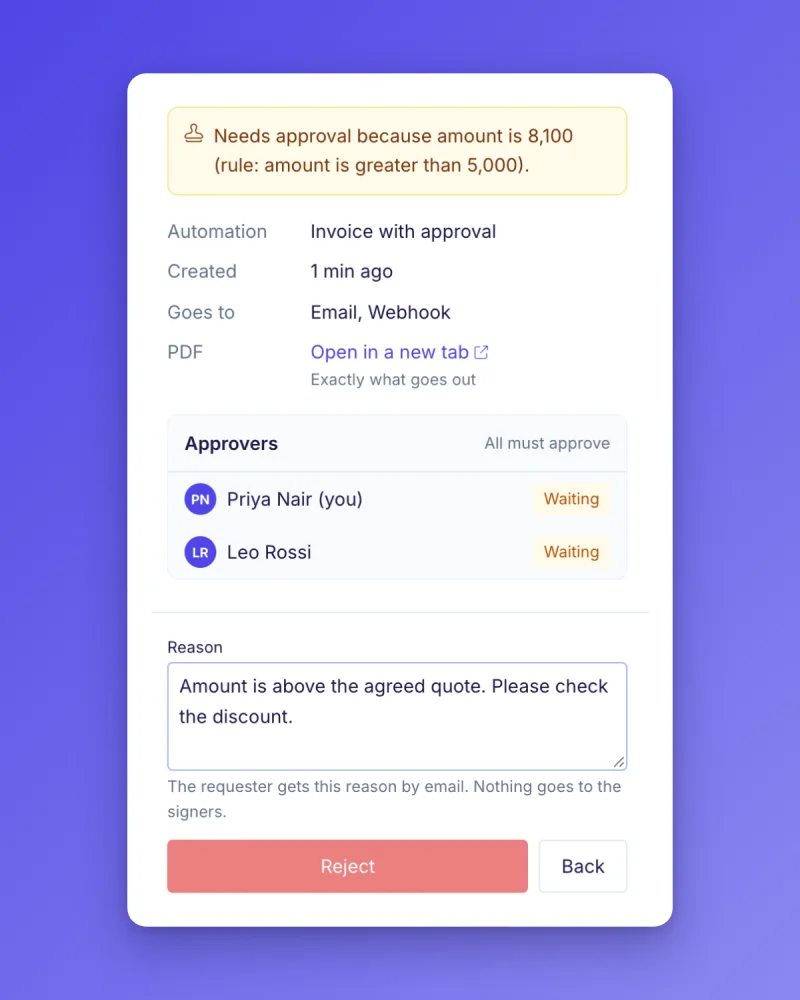
Approve, or reject with a reason
Learn more in our Knowledge Base
Approvals are part of the current Business and Scale plans.
What waits for the approval
While a document waits, DocsAutomator holds every step that sends it somewhere. After the approval, each step runs once.
The email with the document
The email to your client or your team goes out only after the approval.
The file on the record
The PDF is saved back to the record, for example an attachment field in Airtable, only after the approval.
Cloud folders
Saving to Google Drive, OneDrive and Dropbox waits for the approval too.
The webhook and the API link
The webhook fires and the API answer gets the document link only after the approval. Until then, the API answers that the document waits for approval.
Signing and acceptance requests
If the automation sends the document for signing or acceptance, the invitations go out only after the approval.
Approvals are part of the current Business and Scale plans.
Business and Scale
Every workspace on a current Business or Scale plan can turn on Approvals for any automation.
Trials, Professional and older plans
Approvals are not part of trials, the Professional plan or older plans, including Unlimited. To use them, switch to a current Business or Scale plan on the Change plan page in the app.
A document counts once
A document counts once, when it is made. Approving or rejecting it does not count it again.
Approvals are part of the current Business and Scale plans.
Frequently Asked Questions
Approvals are part of the current Business and Scale plans.
Explore more features
Everything you need for document automation
AI Template Generator
Describe a document and let AI create a professionally designed Word (.docx) template for you.
Google Docs Templates
Build templates in Google Docs, one of the most intuitive document tools on the web.
Word Templates
Upload a Microsoft Word .docx template and generate Word or PDF documents from your data.
E-Signatures
Send documents from your data for signature or one-click acceptance.
Email Automation
Generate documents and email them as PDF attachments automatically.
Dynamic Line Items
Handle invoices, reports, and itemized lists with dynamic line items including nested data.
Conditional Logic
Show, hide, or style content conditionally based on your data.
AI Field Mapping
Map or generate sample data in seconds with the help of AI.
PDF Generation & Delivery
Generate PDFs, save to Google Drive, OneDrive or Dropbox, send via email, or trigger webhooks.
Batch Processing
Generate dozens of documents in parallel with queue-based batch processing.
REST API
Generate documents programmatically with sync/async modes and webhooks.
AI & Agents
Give AI assistants the power to generate documents via MCP server.
Teams creating documents with DocsAutomator:







Approve before it goes out
Your team says yes first, for any document you create.
Approvals are part of the current Business and Scale plans.