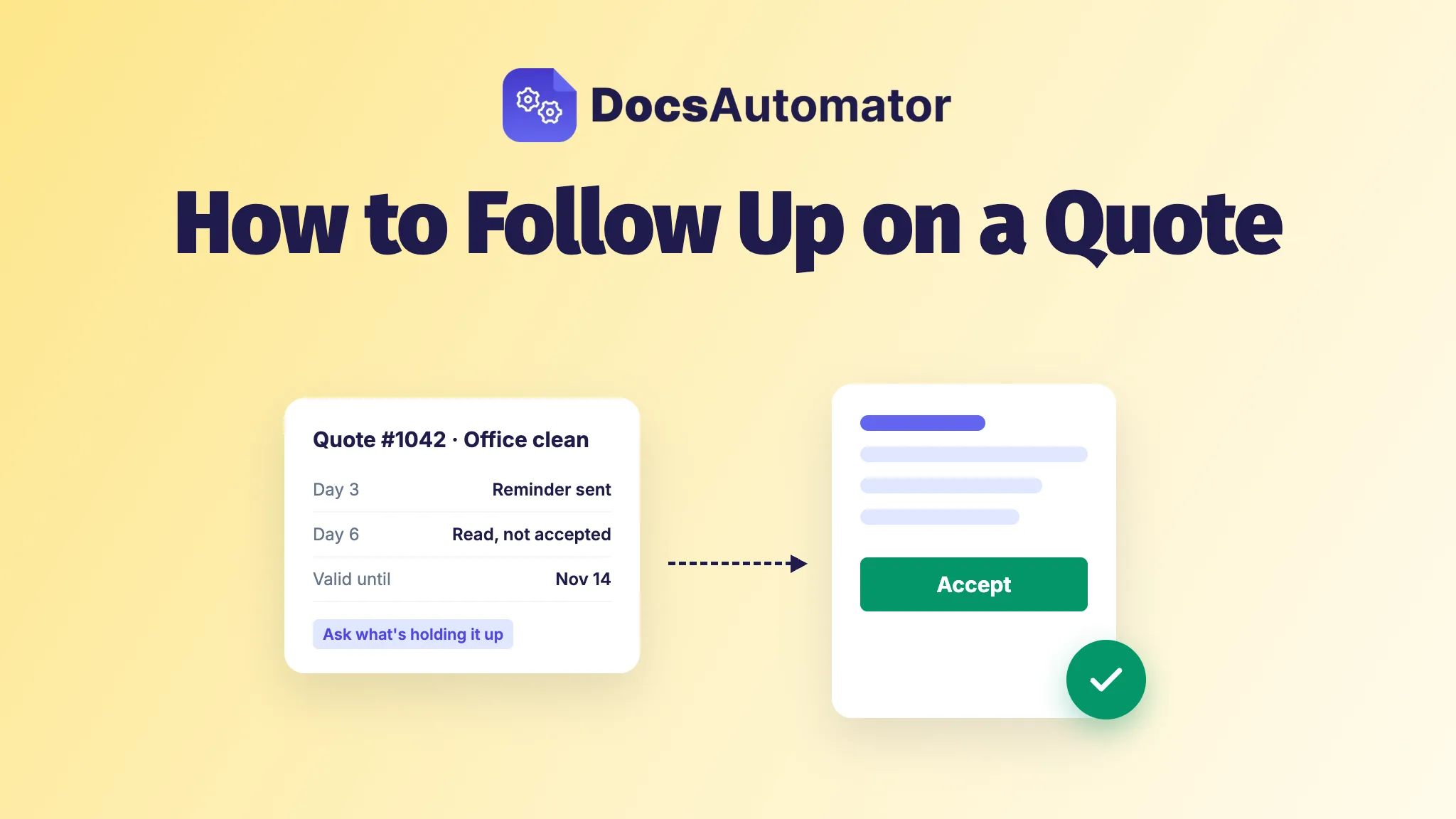
Send your first follow-up two or three days after the quote goes out, then again around day six and day nine, and once more just before the price runs out. Before each message, check whether they opened the quote. If they didn't, text or call instead of emailing again. If they did, ask what's holding them back.
Here's the usual situation. You priced the job on Monday, sent the quote that evening, and by Thursday you've heard nothing. You don't want to sound desperate, and you don't want to lose the job to whoever calls first. (Quote, estimate, quotation: same thing here.)
When to follow up on a quote
Sooner than feels polite. When people say yes, they usually say it fast. In DocsAutomator's September 2026 numbers, contracts and agreements sent for signature were typically signed in about 3 hours, and three out of four completed contracts were signed within about 38 hours. Proposify's 2026 State of Proposals, drawn from 742,137 proposals sent through Proposify, puts the average time from first open to a won deal at 2.5 days. Neither is a quote figure, but they point the same way: yeses come within days, not weeks. A quote that's still quiet on day three has missed that window, so nudging it isn't pushy.
Your quote probably isn't the only one on their desk, either. In an ArcSite and ResearchScape survey of over 1,000 homeowners in late 2021, 95% said they get more than one bid.
Here's the schedule we'd use:
- Before you send it. Put a "valid until" date on the quote, and ask when they plan to decide. That date gives every later message a reason. (Our free quotation templates for Google Docs have room for it.)
- Day 3. First nudge.
- Day 6. Second nudge, aimed at whatever is holding them up.
- Day 9. Third nudge. After this, stop the routine reminders.
- Two days before the quote expires. One last message about the date. Then close the file.
Three nudges and a last message are enough. Past that, you're writing to someone who has already decided. You've probably seen the line that 80% of sales take five or more contacts. SMEI, the sales association it's credited to, traces it to a 1942 survey by its Long Island, NY chapter, with a sample of fewer than 40 members. It says nothing about quotes, so don't let it talk you into a fifth email.
How to follow up on a quote with no response
Start with one question: did they open it? Most follow-up schedules run on the calendar alone, so the client who never saw your quote and the client who read it twice and balked at the price get the same "just checking in" email. They need different things.
They never opened it. This is the rarer case. For a typical DocsAutomator customer, recipients open 86% of the documents sent for signature. If yours is still unopened after three days, the email probably went to spam, to an address nobody reads, or got buried on a busy day. As our docs put it, "Whether a document has been opened is the strongest signal of whether it will be signed. If nobody has opened a request after a few days, another email to the same address rarely helps." Send the link by text or WhatsApp, or call.
They read it and went quiet. They saw the price and something stopped them: the total, the start date, a part of the job they didn't expect, or a partner or manager who hasn't agreed yet. Sometimes it's a polite no, and no follow-up changes that. Either way, a reminder that just repeats "your quote is waiting" won't help. Ask which it is, and make it easy to answer.
If you can't see opens, ask anyway: "Did the quote come through all right?" covers the first case, and a direct question about what's holding them back covers the second.
Quote follow-up email templates
Five messages, one for each moment. Swap in your own details. If you're tempted to add a paragraph, don't.
1. The day-3 nudge
For a quote that's been opened, or when you can't tell.
Subject: Your quote for [job], valid until [date]
Hi [Name],
I sent over the quote for [job] on [day]. Is there anything in it you'd like me to explain or change? If it looks right, you can accept it from the link in the quote email, and I'll book you in.
[Your name]
2. Read, but no yes
Around day 6, for a client who read the quote and went quiet.
Subject: A question about the [job] quote
Hi [Name],
Is anything in the [job] quote holding you back: the price, the start date or what's included? Tell me which and I'll see what I can do. If you've decided to leave it, that's fine too. A one-line reply helps me plan.
[Your name]
3. Never opened (send it as a text)
Hi [Name], it's [your name] from [company]. I emailed your quote for [job] on [day], and it may have gone to spam. Here's the link: [link]. Any questions, just reply here.
4. When they say "thanks, we'll get back to you"
Thanks, [Name]. So I can hold a slot for you, when do you expect to decide? Unless I hear from you first, I'll check in on [day].
Now your next message is one they agreed to.
5. The last message before it expires
Subject: [Job] quote: the price holds until [date]
Hi [Name],
A quick note that the [job] quote is valid until [date]. After that I'll need to check the price and dates again. If you'd like to go ahead, you can accept it here: [link]. If you've gone another way, no hard feelings, and thanks for considering us.
[Your name]
How to follow up on a quote politely
Polite isn't vague. A good follow-up names the job and the date you sent it, asks one question, gives the client an easy way to say no, and gives a reason to decide now, which is what the valid-until date is for.
Drop the filler that makes people skim: "just checking in", "circling back", "touching base", "per my last email". Each one says you have nothing new to say. "Is anything in the quote holding you back?" is polite because the client can answer it in one line.
And don't offer a discount nobody asked for. It tells the client your first number had room in it. If price is the problem, they'll tell you when you ask, and then you can offer a smaller scope or a second option instead.
Quotation follow-up by WhatsApp, text or phone
| Channel | Use it for | Keep in mind |
|---|---|---|
| The quote itself, the planned nudges and the last message | It can land in spam without you knowing | |
| Text or WhatsApp | A quote nobody has opened after three days, and small jobs where the client found you by phone | Only to people who gave you their number for this job, and stop as soon as they ask |
| Phone | A bigger job where they read the quote and went quiet | Ask one question, then listen |
Let clients accept the quote online with one click
Every follow-up asks the client to do something. If that something is "reply to say yes, then sign and send it back", you've made the yes harder than the no. Make it a button instead.
DocsAutomator lets clients accept a quote online with one click, without a full e-signature. It makes the quote from your data in Airtable, Google Sheets or another tool and emails it. The client opens it, reads it and clicks Accept. There's no account to create and nothing to draw. By default they type their name before accepting, and you can turn that off. The same works for an offer or a sign-off on extra work.
You get the yes in DocsAutomator with the time and the name, and the accepted PDF comes back with a Certificate of Acceptance on its last page that records who accepted, when, from which device, and a fingerprint of the exact document they saw. The PDF is saved to your Google Drive folder or back on the record the quote came from.
Quoting a private customer paying for it themselves, or sending a contract with signature fields? Send it for e-signature instead. Following up works the same way, with matching statuses and the same reminders. E-signing and acceptance are included in every plan.
Automate quote follow-up reminders
Automate the nudges. They're the same every time, and people forget them: in a BuildOps survey of 76 commercial contractors, only 14.5% said they were very confident they catch every follow-up opportunity.
In DocsAutomator, reminders are on by default for new automations, on the day 3, 6 and 9 schedule above. You can set the gap from 1 to 30 days and send up to 10, and you can rewrite the reminder email. On the Business plan and above, the reminder goes out from your own Gmail or Outlook. Reminders go only to clients who haven't accepted yet, and they stop the moment the quote is accepted.
The Documents page tells you which message you need to send yourself. Not opened yet is the first case above: a request nobody has opened after 72 hours is marked as going cold, and while nobody has opened it you can copy the link and send it by text. Read, not accepted is the second, and your cue to ask the question. The rest are Partly accepted, Accepted and Declined, and if the client declines, you get an email with their reason. Set the link expiry to match how long your quotes are valid (it's 30 days unless you change it), and you get an email two days before a quote expires, which is your cue for the last message.
That leaves you the two conversations a reminder can't have: the call to the client who never opened it, and the reply to the one who read it and has a question.
Frequently asked questions
Should I follow up on a quote that has expired?
Once. Offer a new quote at current prices and dates rather than quietly sticking to the old one, so the client knows the valid-until date meant something.
What if the client asks for changes to the quote?
Send a new version, say in one line what changed, and say that it replaces the earlier one. Then the follow-up schedule starts again from the new send date.
What should I say if they chose someone else?
Thank them and ask one question: what made the difference? The answer is the most useful thing a lost quote can give you, and a friendly reply keeps the door open for the next job.