Tools like Airtable, SmartSuite, ClickUp, Zapier, and more have allowed modern agencies to OWN their database, and hence, their operations data. They serve as the central command center for operations, masterfully organizing the complex web of client projects, campaign data, content calendars, and budgets into a single, accessible database.
This centralization promises clarity and control.
Yet, a fundamental paradox lies at the heart of this data-rich environment: while information is more organized than ever, the process of communicating that information to clients remains mired in manual, time-consuming labor.
Every manual data transfer is a potential point of failure: a typo, a transposed number, an outdated figure. The final report, a critical client deliverable, becomes a separate and potentially inaccurate version of the truth. This not only increases the risk of financial disputes or delayed payments but, more critically, it erodes the foundation of client trust and damages the marketing agency's credibility.
This is the 'data-to-document gap', explained in detail in our guide on: How Marketing Agencies Use Airtable for Document Automation
In this guide we focus on one of the most important use cases for marketing agency documentation: to or Doc formats. You will learn how to save 10+ hours per week by automating below key client reporting documents for marketing agencies:
- Client Performance Reports (PDF)
- Monthly Retainer Audit Reports
- Campaign Wrap-Up Reports
- Strategy and Proposal PDFs
- Budget or Spend Reports PDF
If you are looking for more uses cases beyond client reporting, check out our blog post on 5 ways to use Airtable for marketing agency documentation, including invoices, project kickoff docs, service level agreements, and more: How Marketing Agencies Use Airtable for Document Automation.
Set up your modern Airtable to PDF client reporting stack: Unify Airtable and Google Docs with DocsAutomator
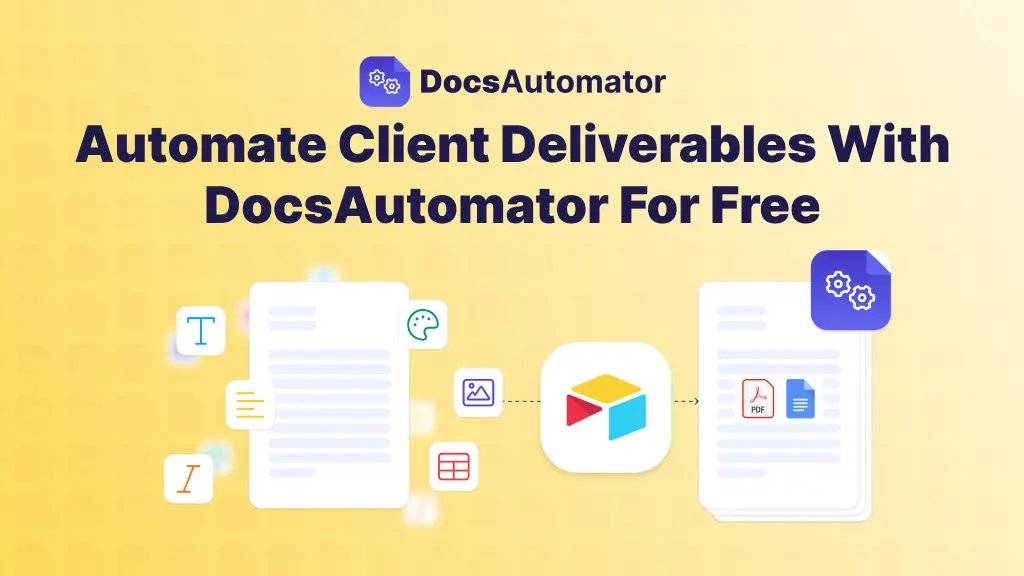
DocsAutomator helps you automatically connect data between databases like Airtable to shareable PDF or Google Docs — WITHOUT CODE.
It’s all no-code magic: you simply map the fields of Airtable base with your Google Doc template fields for your client report (or any other document).
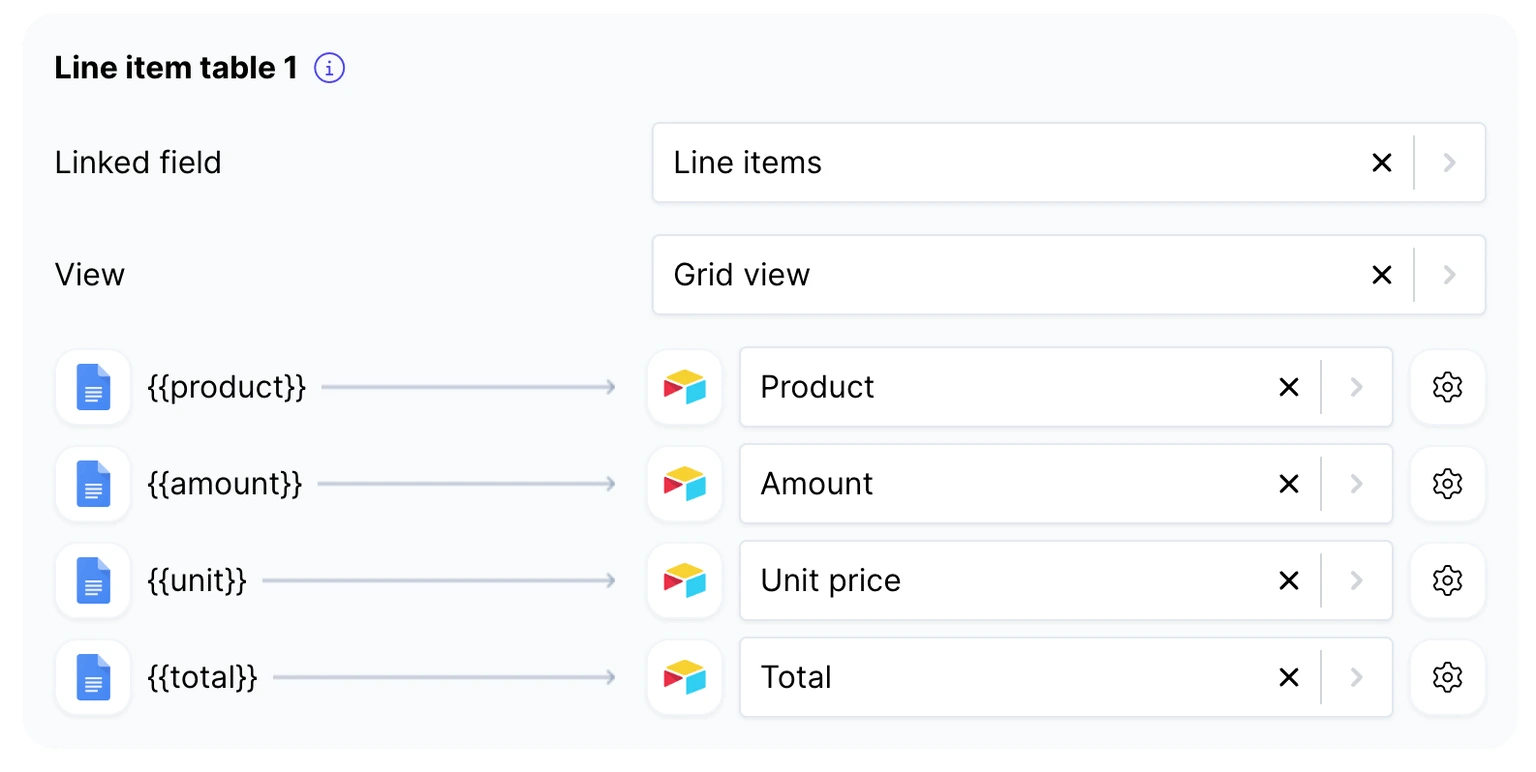
Once mapped, preview the template, set up the document automation on Airtable, and start generating PDFs that you can automatically email to your clients.
You can also use other databases like Glide, ClickUp, Zapier, NoLoco, SmartSuite, Google Forms, and Google Sheets. Explore our PDF generation API for custom workflows. In this guide, we will focus on Airtable to PDF client reporting document creation automation.
This stack doesn't replace Airtable but rather augments its power, extending its capabilities to solve the data-to-document gap completely.
In this modern client reporting stack, each component plays a clear and vital role:
- Airtable [Database]: Use Airtable as your marketing agency's single source of truth. Its strength lies in structuring, organizing, and relating complex client and project data.
- DocsAutomator [Automation]: DocsAutomator is the critical link that connects the data in Airtable to the templates in Google Docs to give you direct PDFs. It is a no-code tool designed specifically to read data from Airtable records and dynamically populate it into pre-designed Google Docs templates, eliminating every manual step in the process.
- Google Docs [Document Editor]: For document creation, Google Docs remains the industry standard. Its universal familiarity ensures zero adoption friction for both internal teams and clients. While DocsAutomator can generate Airtable to PDF documents directly, you can enjoy flexibility by editing Google Docs first and then convert to PDF.
Adopting this stack represents a strategic evolution from passive "data management" to active "data activation."
Storing information in Airtable is merely management; the data is organized but inert. The purpose of a report is to activate that data—to transform it into a compelling narrative that communicates value, justifies investment, and drives strategic conversations with the client.
Thanks to the Airtable → DocsAutomator → PDF workflow, marketing agencies can programmatically transform raw data into a strategic asset with near-zero effort.
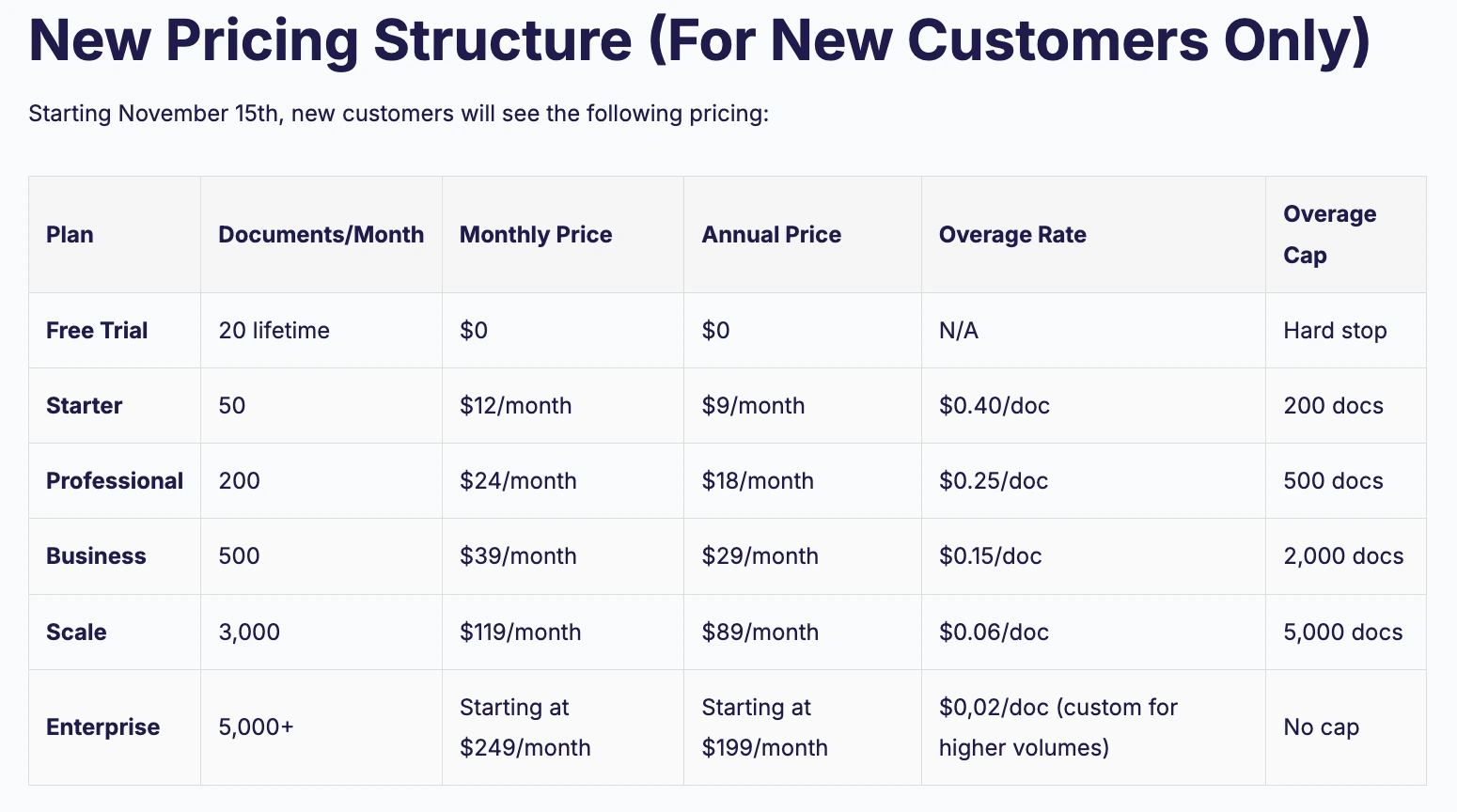
With DocsAutomator, you can get started for free, and enjoy creating 20 lifetime free documents.
Want to know more about how DocsAutomator can help with your document creation automation? — Set up a demo with founder Rupert Hoffschmidt-McDonnell
3 step, no-code setup for client reporting document automation
Setting up an automated client reporting workflow is a straightforward, one-time effort that requires absolutely no coding expertise. Marketing Agencies can continue using their Airtable bases exactly as they do now, without needing to overhaul existing processes.
The entire setup is a simple, three-step process:
- CONNECT: The first step is to securely link your Airtable account and Google Drive to DocsAutomator. This establishes the necessary connections for the tool to read data and create documents in the correct locations.
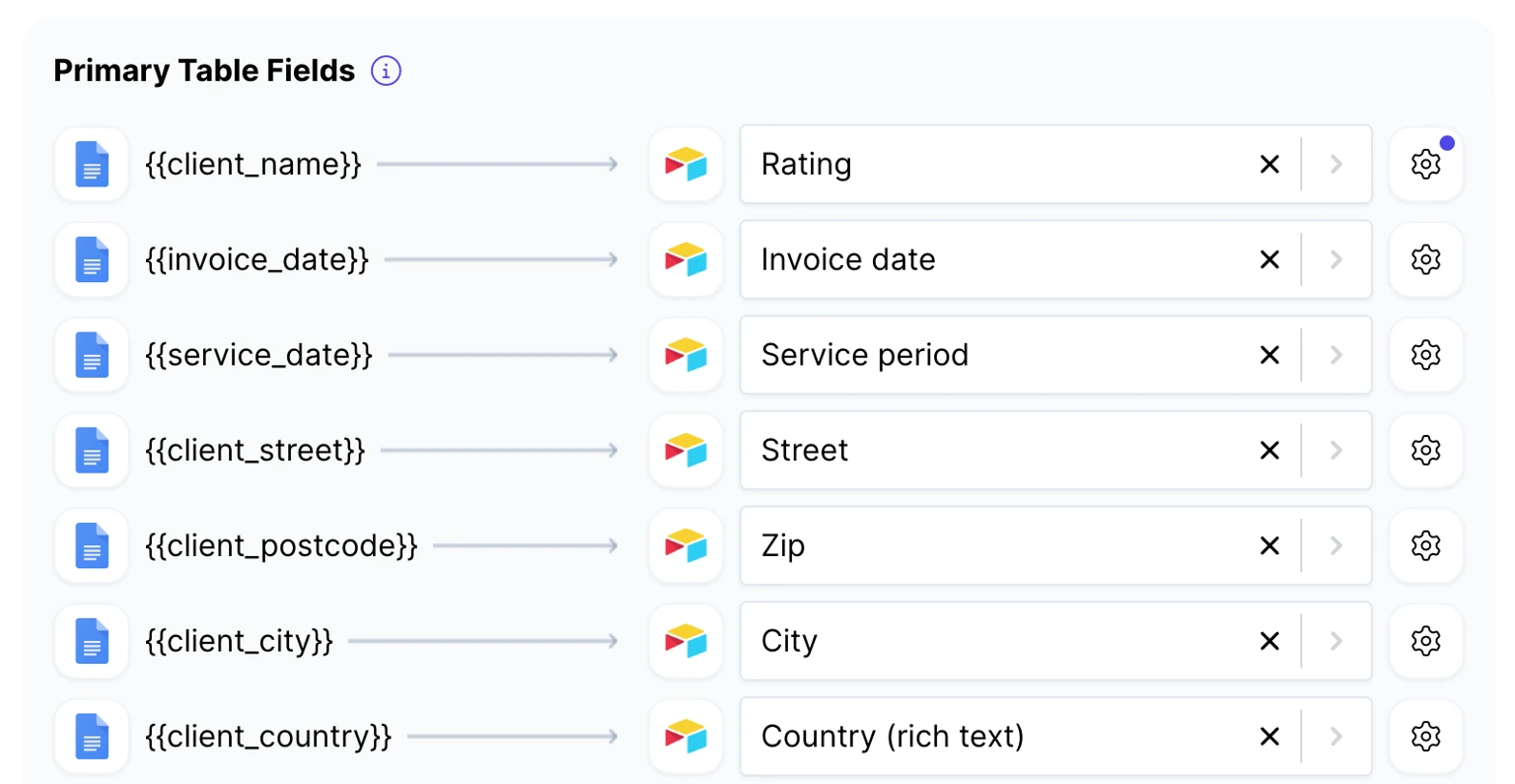
- TEMPLATE: Next, take an existing Google Doc report template or create a new one. In this template, replace any dynamic content (like the client's name, a specific KPI, or a date range) with simple placeholders. These placeholders use a simple syntax, such as {{client_name}} or {{monthly_kpi}}.
- MAP: Finally, within DocsAutomator, you map the fields from your Airtable base to the corresponding placeholders in your Google Doc template. This tells the system exactly which piece of data from Airtable should go into each placeholder in the document.
That's it. Once this one-time mapping is complete, the system is ready.
Learn how to set up your Airtable with DocsAutomator for document creation:
An agency can generate an unlimited number of documents with the click of a button or even set up triggers for fully hands-off automation. For those who want guided assistance, a full step-by-step QuickStart Guide is available to create your first document creation automation.
5 Marketing agency Airtable to PDF reports: Fully automated using DocsAutomator
We have curated five critical Airtable to PDF document automation workflows using DocsAutomator pre-built or custom templates:
Let’s explore each client report document creation automation workflow in detail:
1. Monthly Client Performance Report: From Tedious Chore to One-Click Task
For many account managers in a marketing agency, the end-of-month reporting cycle involves the tedious task of hunting down KPIs across multiple Airtable views. One has to take screenshots of charts, manually write commentary, and live with the persistent fear that a single copy-paste error could undermine client trust and derail a productive conversation.
Replace this with Airtable → DocsAutomator → PDF workflow.
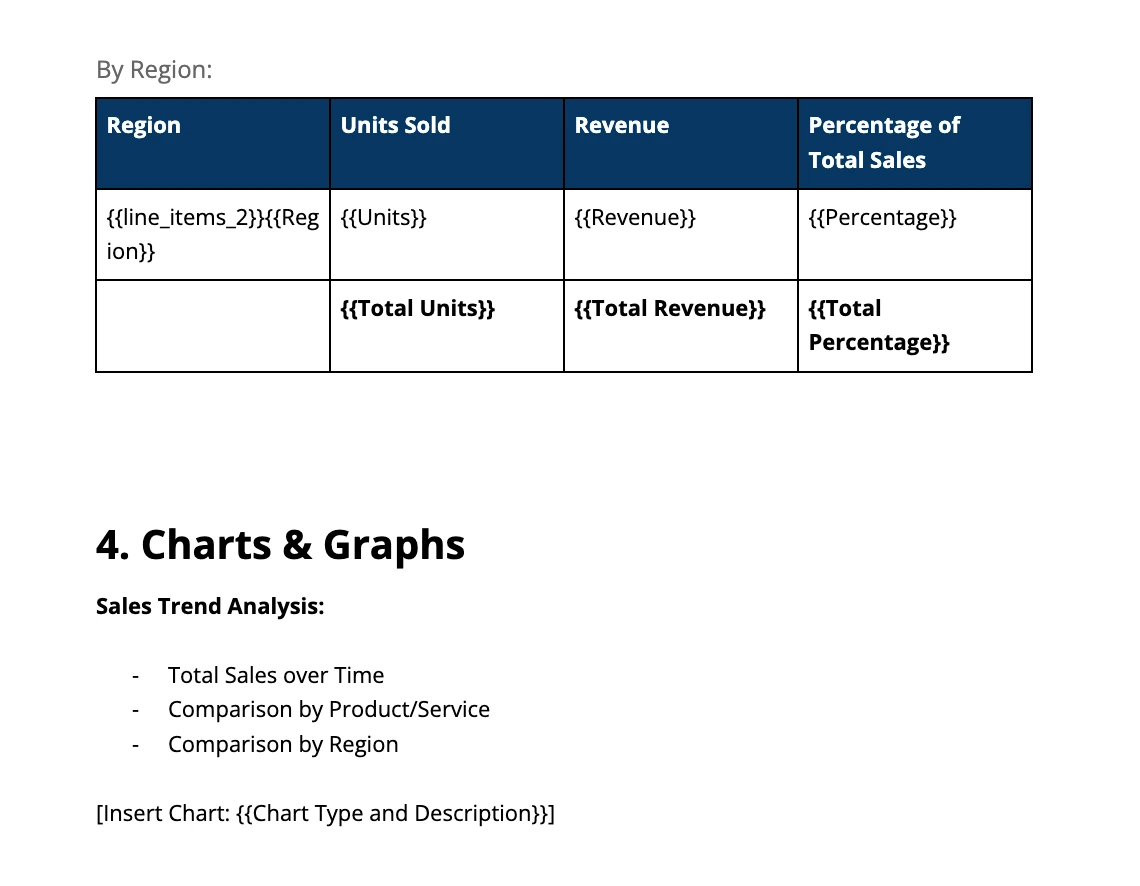
Modify our Monthly Sales Report Template; connect the relevant Airtable fields from your base, and you get a PDF report ready to send to your client.
A key feature is the ability to pull in images of charts and graphs directly from URL fields within Airtable. This means that as charts in the base are updated, the reports automatically include the latest visuals, ensuring they are not just accurate but also compelling. When it's time to report, the team simply updates the latest metrics in Airtable as they normally would, navigates to the client's record, and clicks a single button to generate a data-rich PDF report.
2. Monthly Retainer Audits: Build Trust Through Automated Transparency
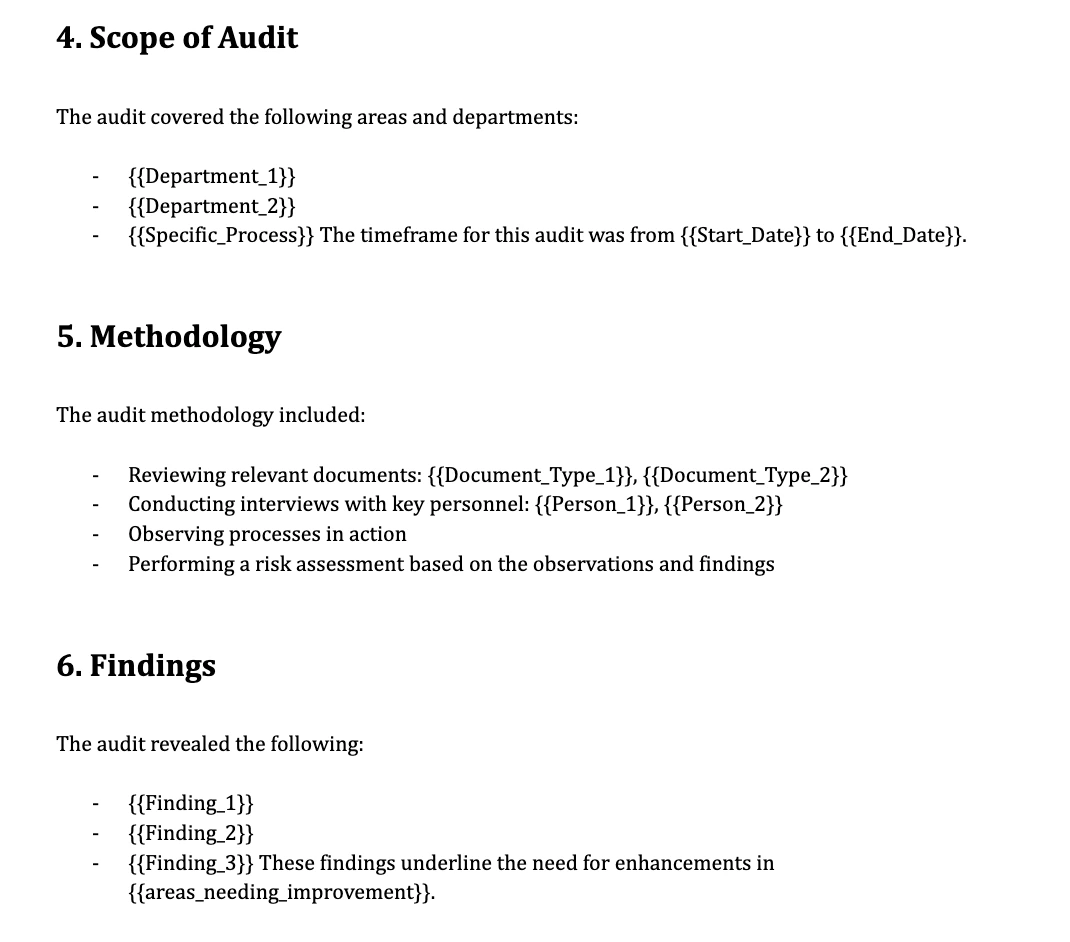
For agencies working on a retainer model, monthly audit reports are essential for demonstrating value. However, they are highly repetitive and templatized, and hence, easy to automate.
With DocsAutomator, avoid each month of copying project updates, checking off deliverables against the scope of work, calculating hours, and pasting results into a document.
Simply connect your Airtable to a standardized Audit Report Template on DocsAutomator.
The Airtable base becomes the definitive source of truth for all completed tasks, deliverables, and hours logged for the month. DocsAutomator pulls this data directly into the template. Your every report is 100% accurate, comprehensive, and perfectly consistent with the previous month's format.
The workflow can even be configured to automatically email the final PDF to the client at the start of each billing cycle.
This helps your marketing agency become PROACTIVE by showing exactly what was delivered. Your agency preempts questions about value and reinforces the client relationship month after month, key for handling retainer clients.
3. Campaign Wrap-Up Reports: Capitalize on Success in Minutes, Not Days
A successful campaign concludes, but now the most arduous task begins: summarizing months of work, results, key learnings, and next steps into a comprehensive wrap-up report.
These are high-stakes, high-effort documents that can take days to compile. One pulls data from dozens of sources to weave a coherent narrative. This delay between the campaign's end and the report's delivery can cause the excitement and momentum to fade.
With DocsAutomator, you can create custom design campaign wrap-up reports on Google Docs and automate it to generate Airtable to PDF reports.
Automatically pull in everything needed directly from Airtable: final KPIs, key milestones achieved, links to top-performing creative assets, and even written summary notes from the team's project records.
Such automations are a strategic advantage: enabling the marketing agencies to capitalize on the campaign's success immediately. You can present a powerful case for renewals, upsells, or new projects while the outstanding results are still fresh and exciting in the client's mind.
4. Strategy and Proposal PDFs: Accelerate Your Sales Cycle
Proposals are among the most critical client-facing documents. Yet they are often assembled manually by pulling client discovery notes from one table, detailed service descriptions from another, and pricing from a separate spreadsheet.
This process is slow, and any inconsistencies in branding, tone, or content can make the agency look unprofessional and cost them the deal.
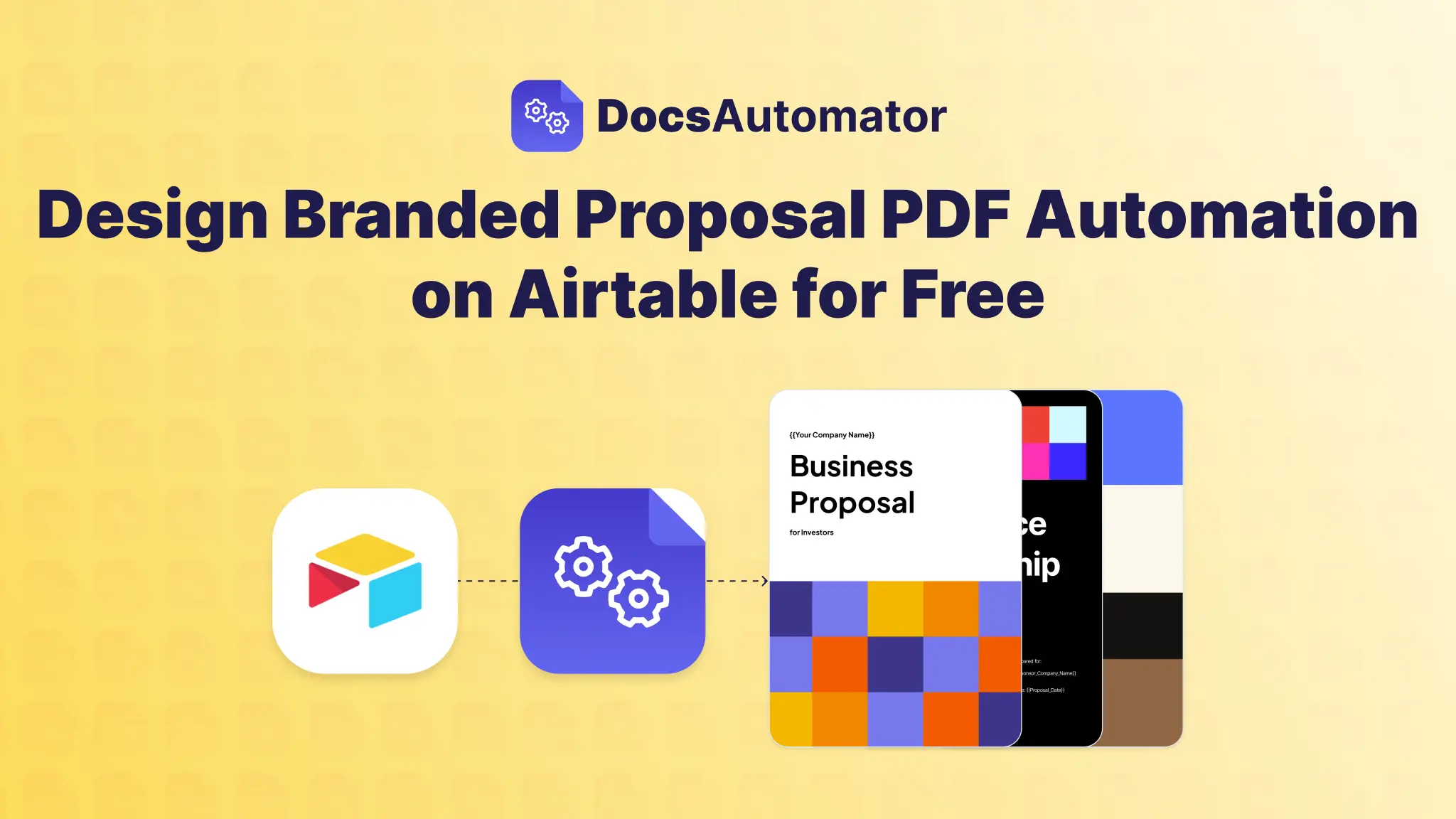
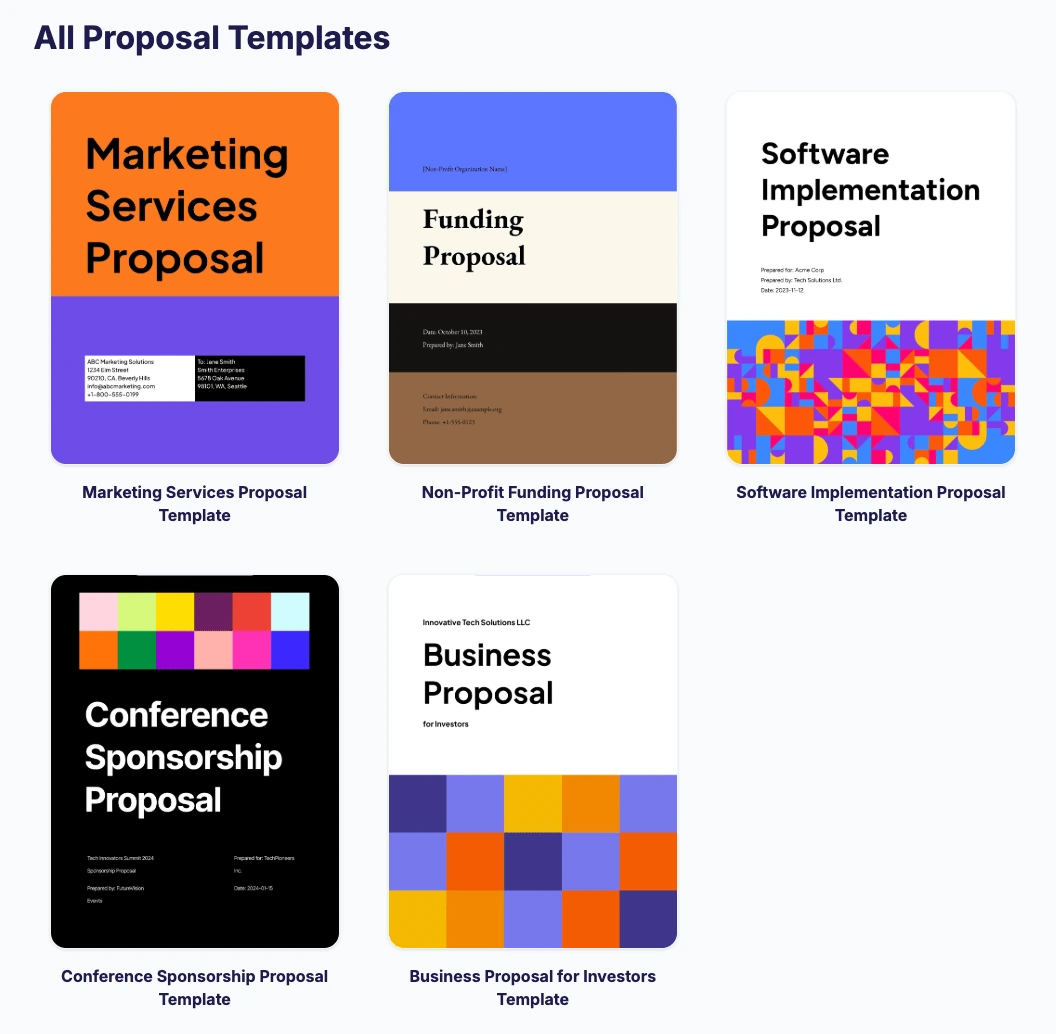
DocsAutomator provides 5 use cases for proposals, which includes a dedicated Marketing Services Proposal Template:
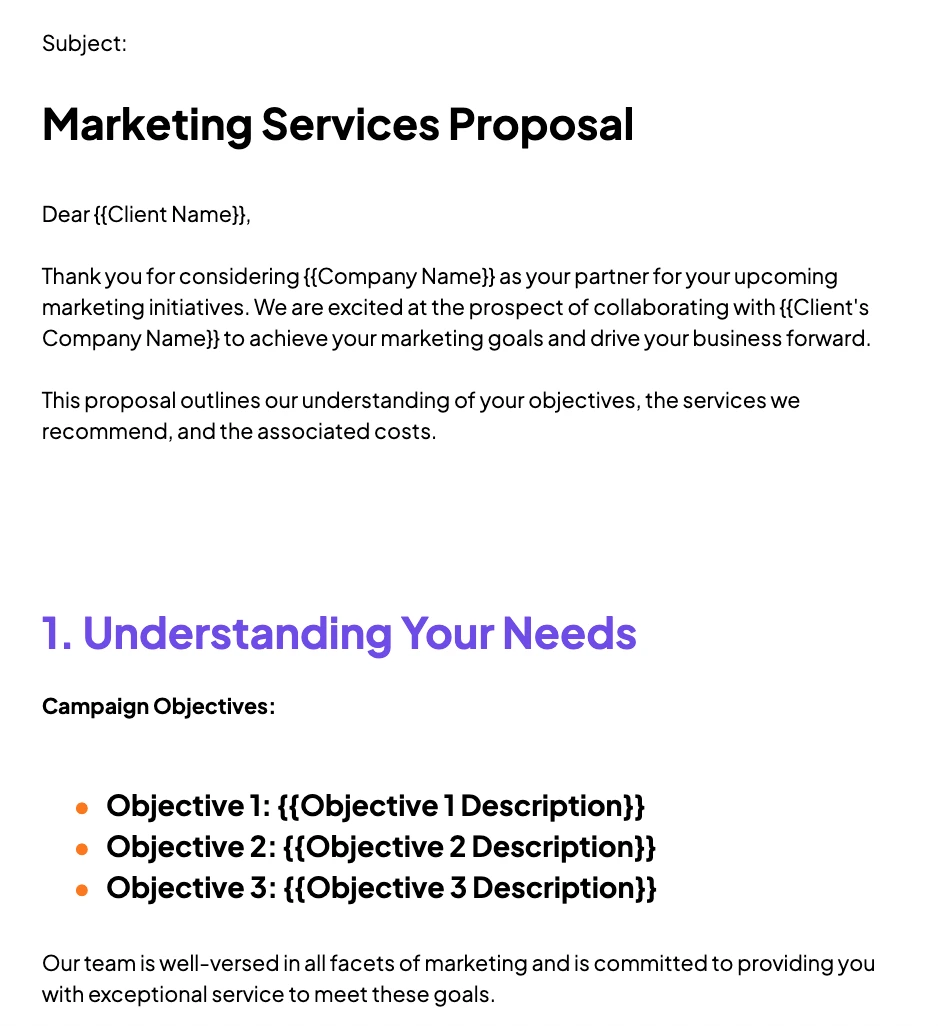
This workflow transforms the marketing agency proposal process by creating a modular 3-step content engine within Airtable:
- Your marketing agency can create a dedicated base to store all its reusable content: service descriptions, case studies, team bios, and pricing tiers.
- When a new lead requires a proposal, the sales lead simply creates a new record and uses linked records or multi-select fields to choose the specific components needed for that client.
- With a single click, DocsAutomator instantly assembles all the selected modules into a perfectly formatted, professionally branded, and highly personalized PDF proposal.
This system provides a massive competitive advantage. Instead of spending half a day building a proposal, the agency can respond to new leads while they're still hot, delivering a personalized, error-free document in minutes. This dramatically shortens the sales cycle and significantly increases the proposal win rate.
5. On-Demand Budget and Spend Reports: Deliver Financial Clarity Instantly
Clients and internal finance teams constantly need clear summaries of ad spend, budget pacing, and resource allocation. Exporting this data from Airtable often results in a messy CSV that requires significant time in Google Sheets to clean up, pivot, and format before a presentable PDF can be created.
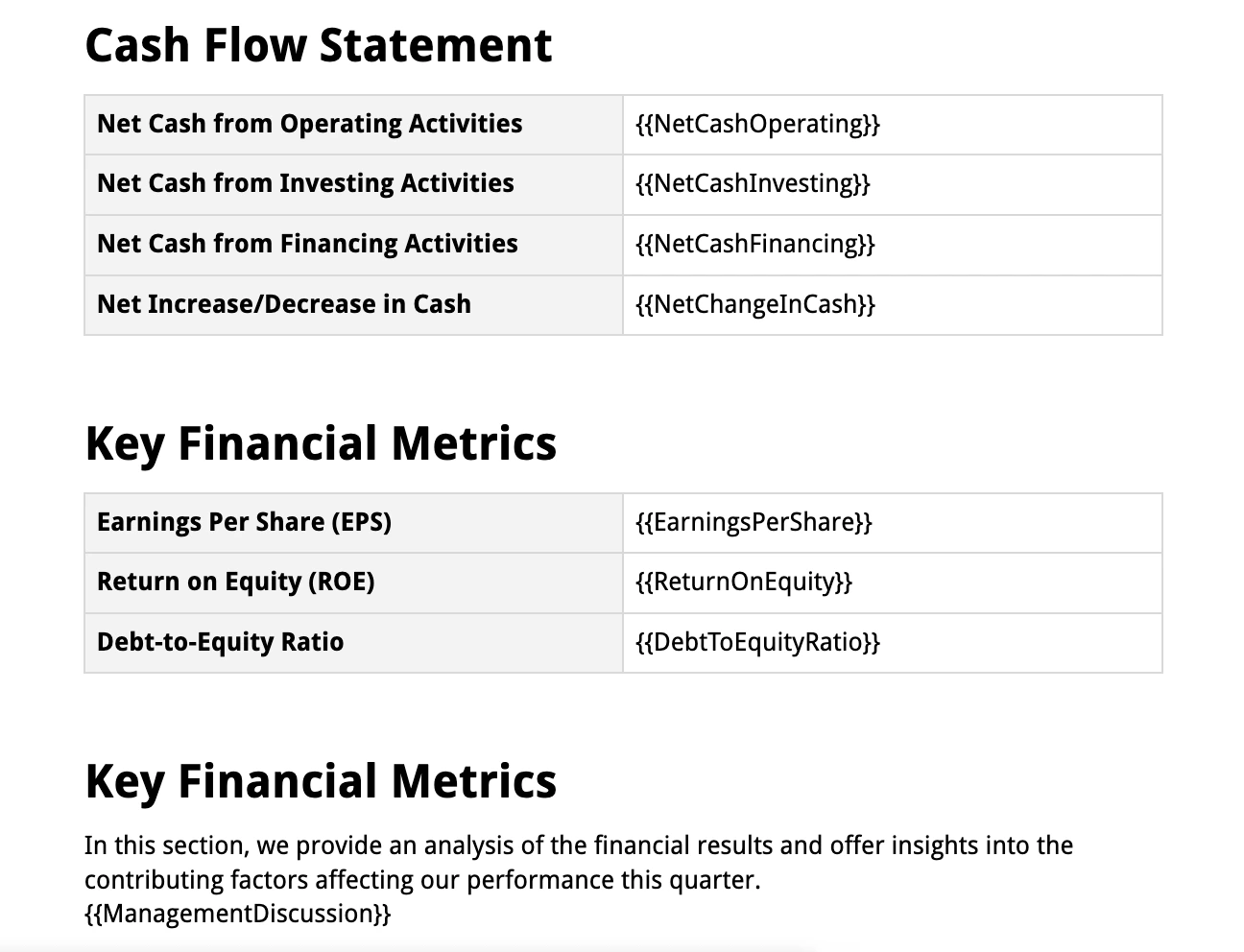
Turn this frustrating, multi-step process for what should be a simple request by modifying our Quarterly Financial Report Template into custom budget or spend reports.
As a marketing agency, you can map Airtable budget and spending fields directly to a clean, simple financial summary template. Whether tracking ad spend per channel, project hours, or other expenses, a single click converts that complex numerical data into an easy-to-read PDF spend report, ready for distribution.
Use this workflow automation to provide financial clarity and transparency on demand to your clients. There is no more manual formatting or recalculating.
FAQs on Tailoring Client Reports with Precision and Power
Beyond automating standard reports, a true document automation engine provides the flexibility to create intelligent, dynamic, and perfectly tailored communications. The following advanced features in DocsAutomator helps transform reporting from a static task into a dynamic system:
Can I use dynamic charts and graphs with DocsAutomator for my reports?
A report's impact is significantly enhanced by visual data. DocsAutomator can dynamically insert images into documents. By storing charts and graphs as images with accessible URLs in an Airtable attachment or URL field, the system can pull them directly into the report upon generation, ensuring that all visual data is as up-to-date as the numerical data.
Can I create intelligent documents with conditional sections?
Not all clients receive the same services, so their reports shouldn't be identical. DocsAutomator supports conditional logic, allowing for the creation of dynamic sections that only appear if certain conditions in Airtable are met. For example, a "Social Media Performance" section can be configured to only show up in reports for clients who have purchased that specific service, making every report perfectly relevant.
Are there any document length limitations when I use DocAutomator for client report documentation?
Unlike the limitations of native tools, there is no page limit for documents generated with DocsAutomator. This makes it perfectly suited for creating comprehensive, multi-page documents like in-depth annual reviews, detailed campaign summaries, or formal service level agreements, regardless of their length.
Can I generate reports instantly, even during a client call?
Document generation is exceptionally fast, typically taking less than 10 seconds for most reports, and the speed is independent of the document's length. This allows an account manager to confidently generate a report on the fly during a client call to answer a specific question with up-to-the-minute data.
Can I manually edit the PDF generated by DocaAutomator for personalization?
Automation provides efficiency, but human insight provides value. The system offers the crucial option to configure an automation to generate an editable Google Doc instead of a final PDF. This creates the perfect hybrid workflow, allowing an account manager to add a personalized executive summary, nuanced commentary, or last-minute strategic observations before saving the final version as a PDF to send to the client.
The True ROI: Reclaim Your Marketing Agency's Strategic Focus
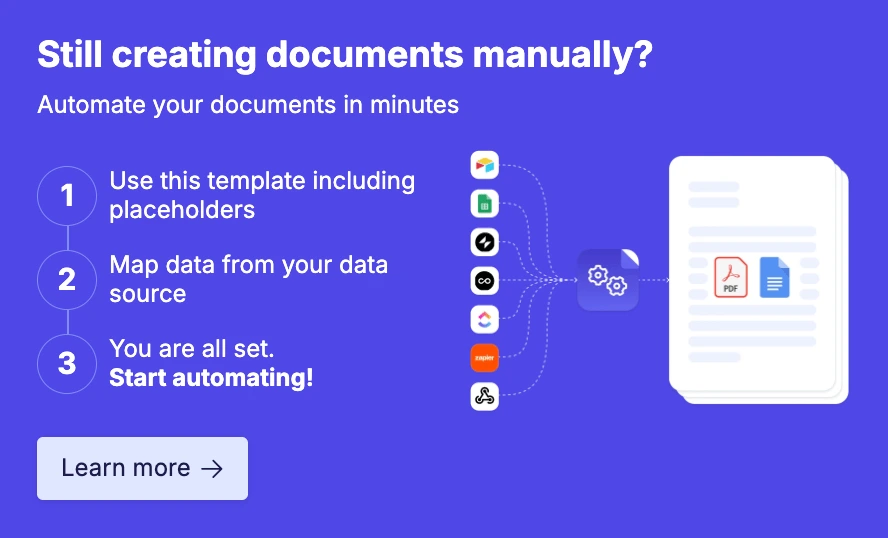
The return on investment from document automation extends far beyond reclaiming lost hours. The true value lies in fundamentally shifting the strategic focus of the agency's most valuable talent.
The Airtable → DocsAutomator → PDF or Google Docs document automation workflow reallocates their time from copy-pasting and formatting to interpreting trends. They can develop insights and craft the strategic recommendations that drive client success and retention.
Making the transition to an automated reporting system is straightforward and risk-free.
To empower agencies to experience the benefits firsthand, DocsAutomator offers a perpetually free plan that includes 20 lifetime free document generations. This is not a 14-day trial that expires; it is a permanent plan generous enough to set up, test, and run a critical reporting workflow without any financial commitment.
Special discounts are also available, including a 50% discount for non-profit and educational institutions and a 20% discount on all yearly plans.
There is zero risk in trying this out — Sign up with DocsAutomator today