📝 DocsAutomator eSign is now available!

Still creating your documents manually?

Automate your document creation / workflow with DocsAutomator.
Get started for free
Trusted by 10,000+ Business Owners

Automate Invoice Management Documents for Legal Firms

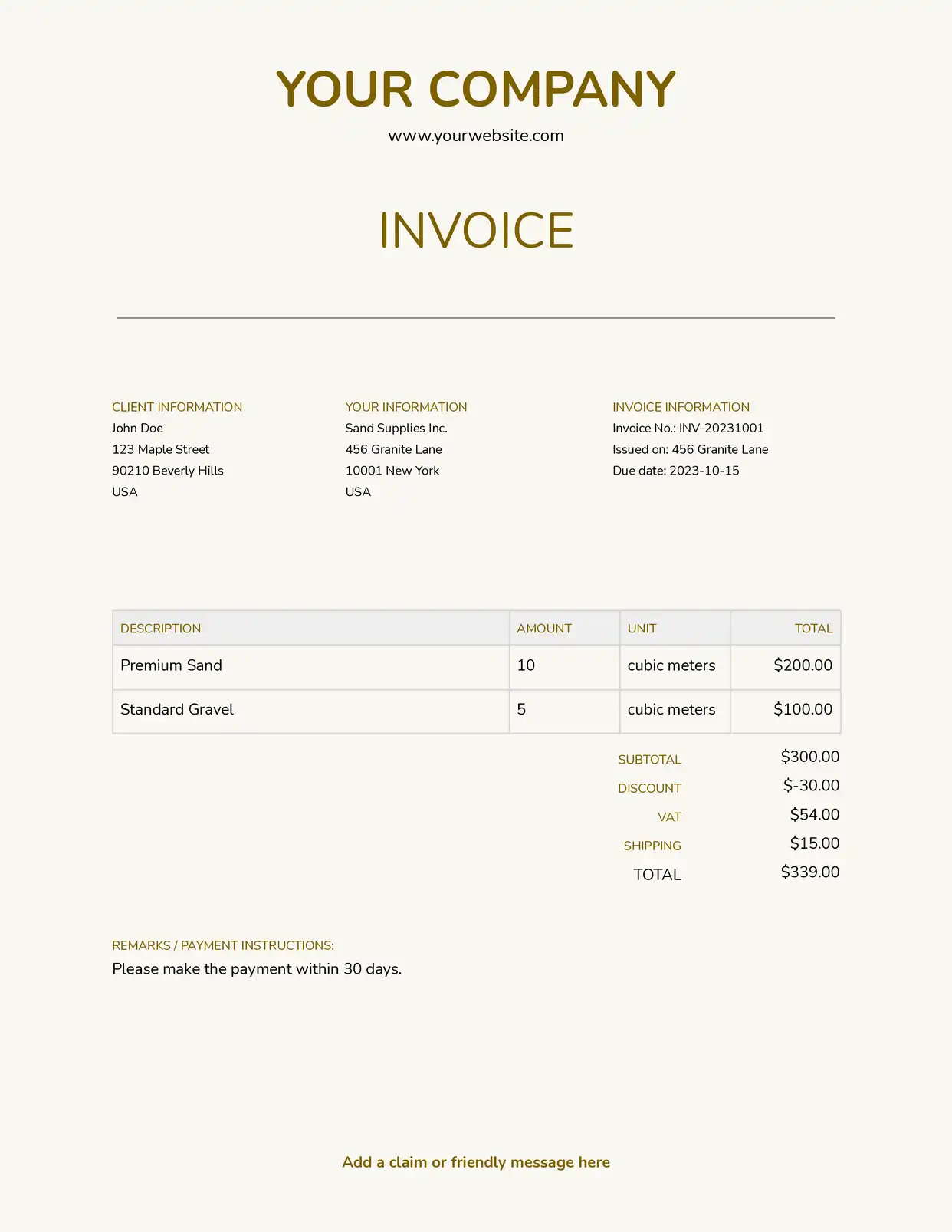
Generate legal invoice documents from time tracking and expense data to bill clients accurately and reduce the administrative burden of law firm billing processes.

Understanding Invoice Management for Legal Organizations

Invoice management for legal firms encompasses the creation, review, and delivery of client bills that accurately reflect time invested, expenses incurred, and services rendered on legal matters. Research from American Bar Association on law practice management shows that efficient billing practices improve cash flow and client relationships. Legal billing staff traditionally compile time entries from practice management systems, expense records from accounting software, and matter details from case files before formatting each invoice manually. This effectiveness comes from connecting your Google Docs templates with your practice management platform, Airtable time tracker, or billing system, so invoices generate with accurate time summaries, expense itemizations, and matter details already formatted. Your billing team produces professional client invoices without manual data compilation.

Start automating

Legal

Documents in minutes - for free!

20 documents for free/month. See pricing for details.

Why Legal Teams Need Invoice Automation

Law firms face billing challenges that affect cash flow and client satisfaction when invoices are delayed or contain errors.

  • Time Entry Volume: Active matters accumulate numerous time entries from multiple attorneys and staff. Compiling these entries into coherent invoice narratives consumes significant billing staff time.
  • Rate Complexity: Different timekeepers bill at different rates, and some clients have negotiated rate structures. Applying correct rates to each time entry requires careful attention to engagement terms.
  • E-Billing Requirements: Corporate clients increasingly require LEDES-format invoices with specific task and activity codes. Meeting these formatting requirements adds preparation complexity.
  • Pre-Bill Review Cycles: Partner review of draft invoices before client delivery creates iterative processes that extend billing cycles and delay cash collection.

These billing operation demands explain why law firms implement invoice automation to improve their billing efficiency.

Key Challenges
How DocsAutomator works

How DocsAutomator Delivers Invoice Automation for Legal Organizations

We connect your practice management data directly to Google Docs templates, generating client invoices automatically when billing periods close. Client names, matter details, time entries, rates, expenses, and calculated totals flow from your practice management system or Airtable time database into formatted invoices ready for review and delivery.

The system handles legal billing complexity naturally. Dynamic tables present time entries with dates, descriptions, timekeepers, hours, and amounts from your time tracking data. Conditional logic applies appropriate rate structures based on client engagement terms and timekeeper levels. Expense items, retainer applications, and trust account balances format according to your billing configuration.

This works through native integrations with Airtable, Google Sheets, ClickUp, and similar platforms, plus our flexible API for connecting to practice management software and billing systems. Output is PDF for client delivery, with optional Google Docs format during pre-bill review when partners need to make adjustments. See our invoice template collection for professional designs. Teams also benefit from understanding automated document generation for legal operations.

Client Billing Invoices

generate detailed client bills with time entries, hourly rates, expense items, and matter summaries from practice management data

LEDES Format Invoices

create LEDES-compliant electronic billing documents with proper task and activity codes for corporate client submission requirements

Pre-Bill Reports

produce draft billing reports for attorney review with time entries, suggested write-offs, and billing adjustments from unbilled time data

Expense Reimbursement Documents

automate expense documentation with itemized costs, receipt references, and matter allocations from expense tracking records

Retainer Statements

generate retainer account statements showing beginning balance, applied charges, and remaining funds from trust account data

Collection Letters

create accounts receivable communications with outstanding balances, aging details, and payment requests from AR tracking data

DocsAutomator natively integrates with your favorite apps

We’ve built native integrations for the most common platforms our customers are using. If you’re missing an integration, please send us a message.

Start with our free pre-built Google Docs templates

Frequently Asked Questions